The Practical Shopify Product Catalogue Guide We Hand to New Clients
A messy Shopify product catalogue quietly breaks filters, feeds, reports and ads. This is the structure we set up on every store we take over, written so your team can keep it clean long after we hand it back.

Key takeaways
- Your Shopify product catalogue is the database behind every filter, feed, ad and report, so treat its structure as a business decision, not admin.
- Decide what is a product and what is a variant before you import anything. Getting this wrong is the most expensive catalogue mistake to undo.
- Use product type for what something is, tags for internal workflow, and metafields for structured attributes customers filter or read.
- Automated collections built on clean data maintain themselves. Manual collections are for editorial curation, not for keeping a category up to date.
- Run a monthly hygiene check and fix data at the source in Shopify, never with patches inside the Google or Meta feed.
01Why the shopify product catalogue is the foundation nobody budgets for
When a brand hands us a store, we look at the shopify product catalogue before we look at the theme, the ads or the email flows. It is not the glamorous part of the job. It is, however, the part that decides whether filters work, whether Google Shopping approves your products, whether your reports make sense and whether a new team member can add a product without breaking something.
On stores we manage, catalogue problems almost never announce themselves. Nobody files a bug called “our tagging is inconsistent”. Instead, a collection page quietly shows a sold-out product at the top, a size filter lists both “Small” and “S”, the Meta catalogue rejects forty items for missing a field, and the merchandiser spends Monday morning fixing things by hand. Every one of those symptoms traces back to structure.
This guide is the version we hand to new clients. It covers how we decide what a product is, how we use variants, collections, tags and metafields, the naming and SKU rules we enforce, how to bulk edit safely, and how to keep the feeds that power your shopping ads clean. If you want the wider picture of what week-to-week store care involves, our Shopify store management field guide sits alongside this one.
02Products, variants and options: the decision that shapes everything
The first question on every catalogue project is deceptively simple: what counts as a product, and what counts as a variant? Shopify lets a single product carry options such as size, colour or material, and each combination becomes a variant with its own SKU, price, barcode and inventory. Get this split right and everything downstream is easier. Get it wrong and you will be rebuilding product pages, redirecting URLs and losing reviews.
When to use variants
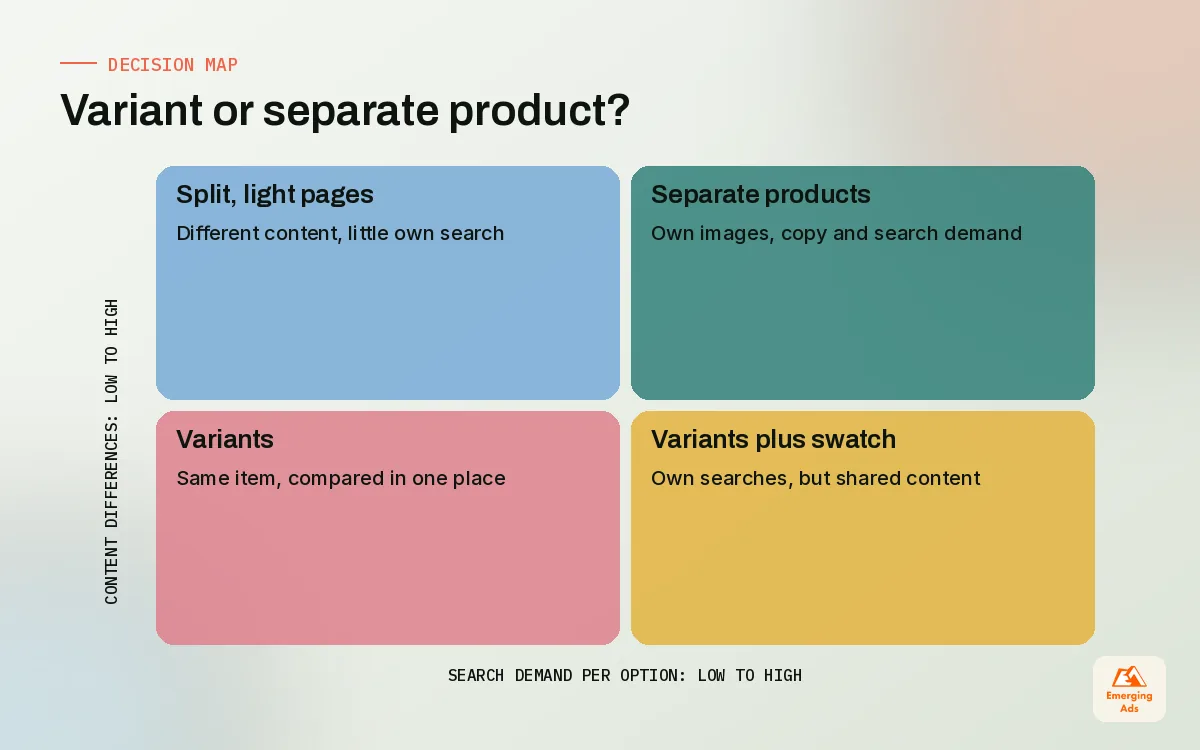
Use variants when the customer sees the items as the same thing in different flavours. A t-shirt in five sizes and four colours is one product. A face serum in 30 ml and 50 ml is one product. The shopper wants to compare them side by side, and the reviews apply to all of them.
When to split into separate products
Split when the items have meaningfully different descriptions, images, search intent or reviews. A jewellery client of ours originally sold gold and silver versions of a ring as variants. Search data showed people looked for “gold stacking ring” and “silver stacking ring” as separate things, and the two metals had different price points and photography. Splitting them into two products, linked by a colour swatch metafield, gave each its own page, title and shopping ad, and made the collection pages far easier to filter.
| Situation | Our default | Why |
|---|---|---|
| Same item, different sizes | Variants | Shoppers compare in one place; reviews are shared |
| Same item, different colours | Variants, unless colours have their own search demand | Split if each colour deserves its own page and ad |
| Different materials or price tiers | Separate products | Different images, copy and intent |
| Bundles and gift sets | Separate product | Own price, own story, cleaner reporting |
| Subscription vs one-off | Same product, handled by the subscription app | Avoids duplicate pages and split reviews |
| Refills and accessories | Separate products, linked as cross-sells | Different buying moment |
Write your rule down. The decision itself matters less than consistency: a catalogue where some colours are variants and others are separate products, with no reason anyone remembers, is the hardest kind to manage.
03Collections that maintain themselves
Collections are how customers browse and how you group products for menus, promotions and feeds. Shopify gives you two kinds: manual collections, where you pick products by hand, and automated collections, where products join based on conditions such as product type, tag, vendor, price or a metafield value.
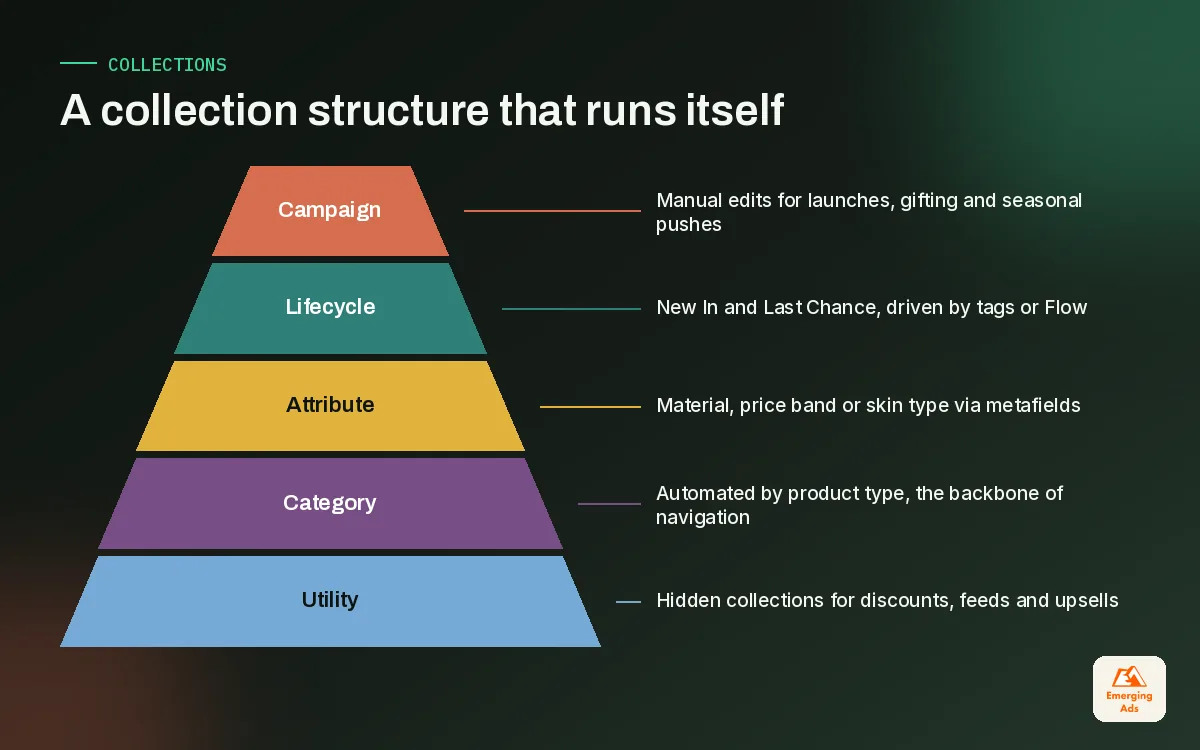
Our rule is that anything that represents a category should be automated. If a new linen shirt is added with the right product type, it should appear in Shirts, Linen and New In without anyone opening the collection. Manual collections are for editorial choices that a rule cannot express: a founder’s edit, a gift guide, a curated landing page for a campaign.
A collection structure we use on fashion and home stores
- Category collections (automated by product type): Dresses, Shirts, Cushions, Lamps.
- Attribute collections (automated by metafield or tag): Linen, Organic Cotton, Under 50, Vegan.
- Lifecycle collections (automated by tag): New In, Last Chance, Bestsellers if your app or Flow maintains the tag.
- Campaign collections (manual): Black Friday edit, Mother’s Day gifts, influencer picks.
- Hidden utility collections (automated, not in navigation): used for discounts, feed exclusions and upsell rules.
That last group is underrated. A hidden collection of “excluded from discounts” products, driven by a single tag, saves hours every sale period and stops margin-killing mistakes on new launches. It also feeds into the merchandising and testing work our Shopify conversion optimisation team runs on collection pages.
04Tags, product types and metafields: who does what
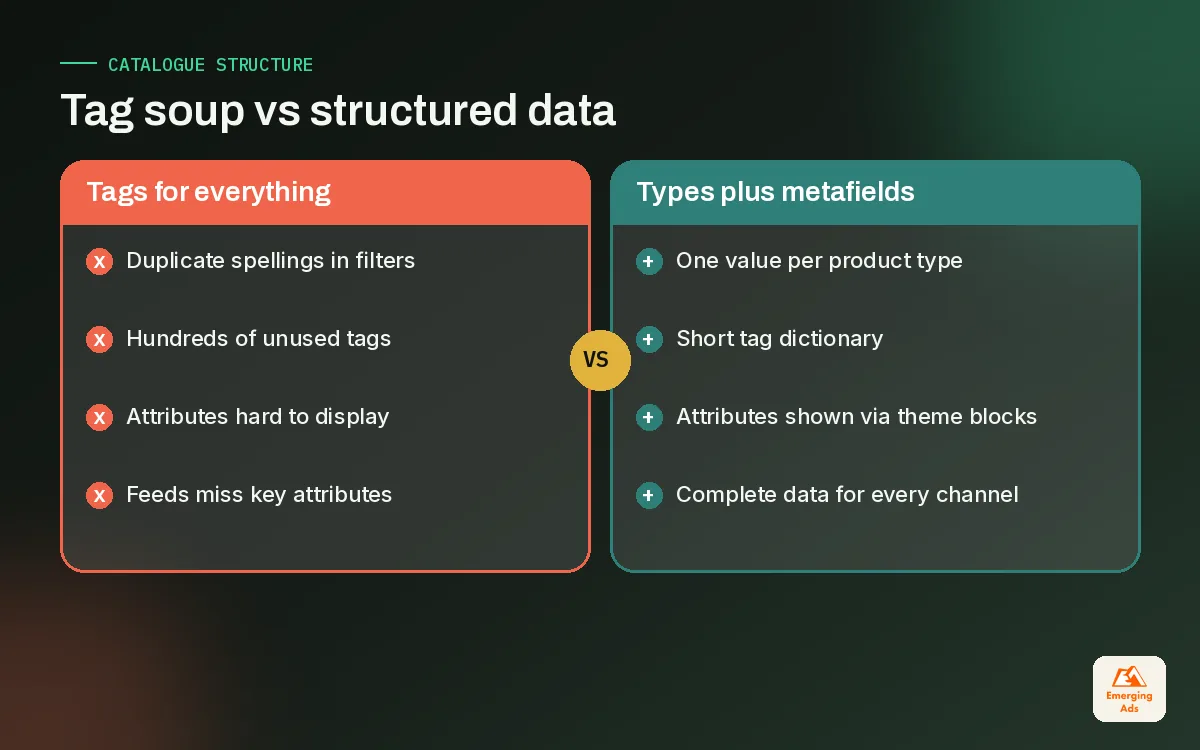
Most catalogue mess comes from asking tags to do every job. Tags are free text, easy to add and easy to misspell, so a store that has been running for three years usually has hundreds of them, many meaning the same thing. We split the work across three tools.
| Field | Use it for | Avoid using it for | Example |
|---|---|---|---|
| Product type | What the item is, one value per product | Marketing labels or seasons | Serum, Ring, Dog Bed |
| Vendor | Brand or maker | Internal codes | Your brand, or the supplier on a multi-brand store |
| Tags | Workflow and rule triggers | Customer-facing attributes that need filtering | no-discount, launch-oct, feed-exclude |
| Metafields | Structured attributes and content | Short-lived workflow flags | Material, fit, skin type, care instructions |
| Category | Shopify’s standard product taxonomy | Your own navigation | Picked once per product, helps channels classify it |
Metafields: the quiet upgrade
Metafields let you store structured information on a product, such as material, ingredients, fit notes or a size guide reference, and then show it anywhere in an Online Store 2.0 theme through sections and blocks. Because the data is typed and defined once, it stays consistent. A skincare client moved “skin type” from tags into a list metafield with five allowed values. Their storefront filters stopped showing duplicates overnight, and the product page could show a neat skin type badge without any custom code per product.
We define metafields up front, write a one-line description for each so the team knows what goes in it, and resist creating new ones for every passing idea. Ten well-used metafields beat forty half-filled ones.
Tags: keep them for machines
Once attributes live in metafields, tags can do what they do best: trigger rules. A small set of lower-case, hyphenated tags with clear prefixes (feed-, promo-, flow-) is easy to audit. We keep a tag dictionary in a shared sheet and delete anything not on it during the monthly check.
Tags are for the systems. Metafields are for the customer. Product type is for everyone.
05Naming, SKUs and the conventions that save you later
Product titles, handles and SKUs feel like small decisions until you have two thousand of them. A consistent convention makes search, reporting, warehouse picking and feeds far easier, and it is the part of the catalogue we see neglected most often on stores that grew quickly.
Product titles
We write titles for humans first and search second: brand or range, product name, key attribute. “Halden Linen Shirt, Relaxed Fit” is clearer than “HALDEN SHIRT NEW!!” and it carries the words people actually search. Keep size and colour out of the product title when they are variants; Shopify and the feed apps add variant values where needed. Titles also drive organic visibility, which is why catalogue work and ecommerce SEO are hard to separate.
Handles
The handle becomes the URL. Set it once, keep it short and descriptive, and avoid changing it after launch. If you must change it, Shopify can create a redirect from the old URL, but check that the option is ticked rather than assuming.
SKUs
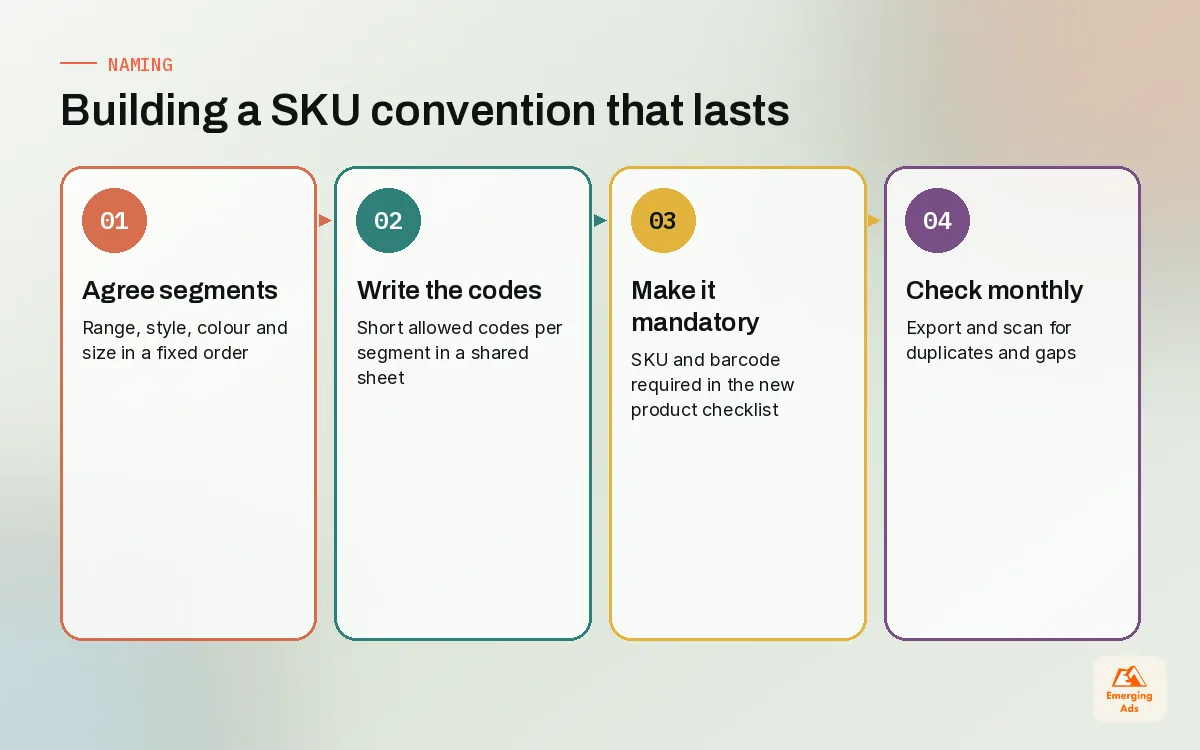
A good SKU is readable, unique and built from fixed segments. We like a pattern such as RANGE, STYLE, COLOUR, SIZE, for example HAL-SHR-NAV-M. It sorts nicely in spreadsheets, tells the warehouse what to pick and makes inventory reports readable at a glance. Never reuse a SKU for a different item, even after a product is discontinued; old orders and reports still point at it.
- Agree the segments and their order before the next import.
- Write the allowed codes for each segment in a shared sheet.
- Make SKUs and barcodes mandatory in your new product checklist.
- Check for duplicates in an export every month.
06Bulk editing and CSV imports without breaking the store
Sooner or later, every store needs to change hundreds of products at once: a price rise, a new metafield, a supplier switch, a seasonal tag. Shopify’s bulk editor in the admin handles small jobs well. For anything larger we work in a CSV export, and we treat every import like a release.
Our safe import routine
- Export first, always. Save an untouched export with a date in the file name. That is your rollback.
- Edit only the columns you need. Delete the others from the working file where the import allows it, so you cannot overwrite something by accident.
- Test on five products. Import a tiny file, check the product pages, collections and feed, then run the full set.
- Import outside trading peaks. Early morning on a quiet weekday, never during a sale.
- Spot-check afterwards. Open ten random products and one of each product type, and look at the live collection pages.
The single most common disaster we are called in to fix is a CSV that overwrote images, descriptions or inventory because someone imported a full export after editing one column. The second is an import that created duplicate products because the handle column was changed. Both are avoidable with the routine above.
For brands with large or fast-moving ranges, it is worth automating repeat edits with Shopify Flow, for example tagging products when inventory drops to zero or removing a launch tag after thirty days. That kind of routine is part of our Shopify website management work, because it keeps the catalogue tidy without someone remembering to do it.
07Feeds for Google Merchant Center and Meta
Your catalogue does not only live on your store. It is also the source for Google Merchant Center, which powers shopping placements and Performance Max, and for the Meta catalogue behind dynamic product ads. Shopify connects to Google through the Google and YouTube app, and Meta has its own sales channel app. Both read your product data, so every gap in Shopify becomes a disapproval or a weak ad somewhere else.
What the feeds care about most
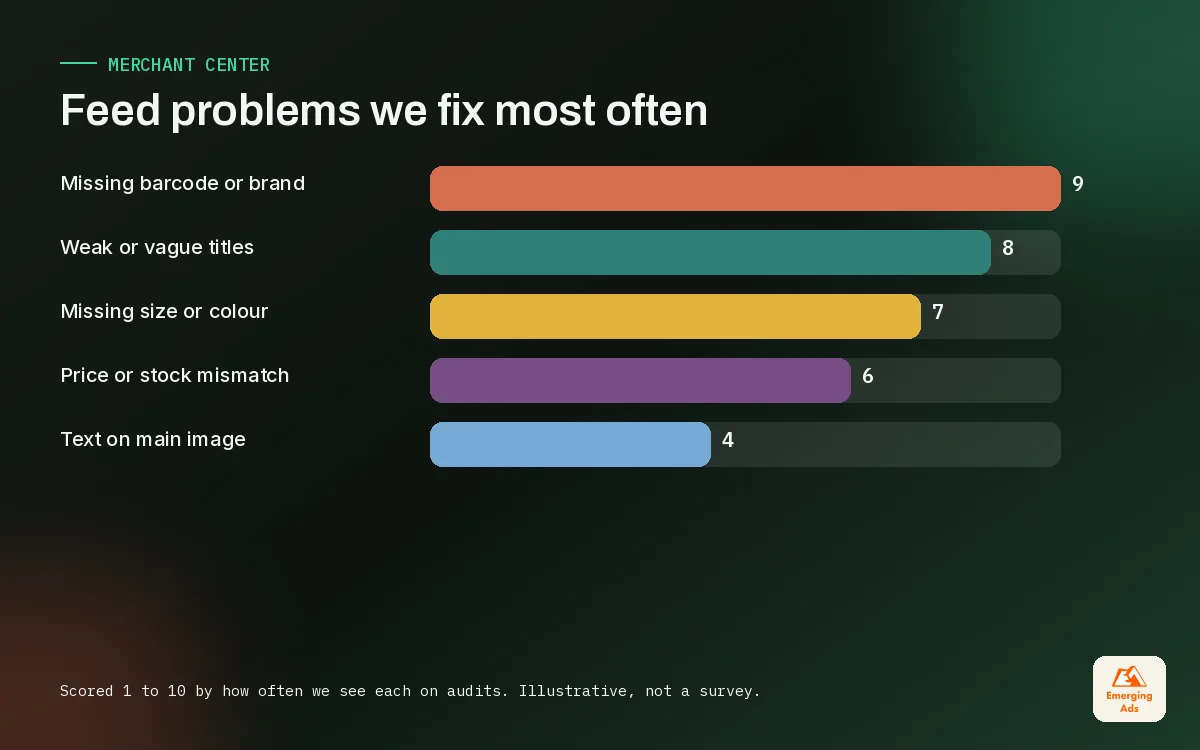
- Titles that describe the item clearly, with the attributes shoppers search for.
- Images on a clean background, no promotional text overlaid on the main image.
- Identifiers: barcodes (GTINs) where the product has them, and consistent SKUs.
- Category and attributes such as colour, size, gender, age group and material where relevant.
- Price and availability that match the product page exactly at the moment of crawl.
Our firm rule: fix data in Shopify, not in the feed. Feed rules and supplemental sheets have their place, but every patch applied downstream drifts out of sync with the store. When our Google Shopping ads team finds a disapproval, the fix goes into the product record, which then flows to every channel at once.
Cleaner data pays off quickly in paid media. Better titles and attributes help your products match more relevant searches in Performance Max campaigns, and complete catalogues give Meta more to work with in Meta ads for ecommerce, especially for retargeting shoppers with the exact items they viewed.
08Catalogue hygiene: the monthly check we run
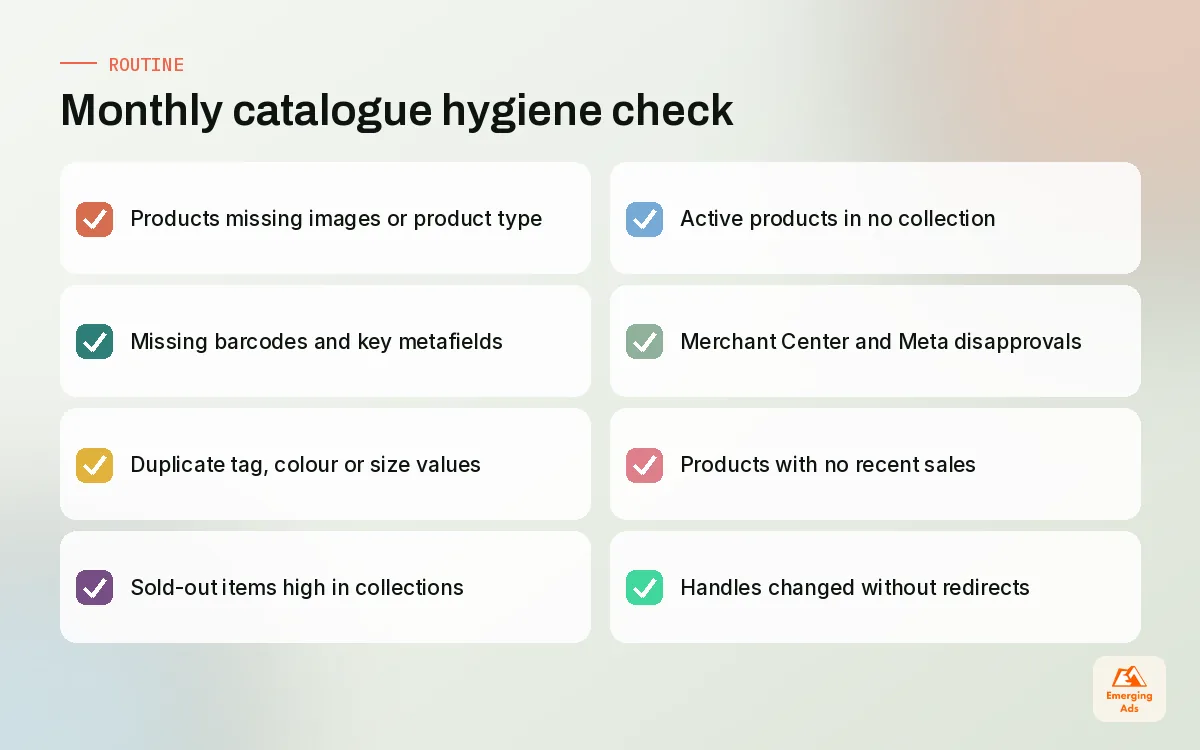
A catalogue is never finished. New products arrive, old ones sell out, someone invents a new tag on a Friday afternoon. We run a short monthly hygiene check on every store we manage, and it takes an experienced person about two hours on a mid-sized catalogue.
| Check | What we look for | Typical fix |
|---|---|---|
| Missing data | Products without images, barcodes, product type or key metafields | Fill from supplier sheets or mark for photography |
| Duplicate values | Two spellings of the same tag, colour or size | Merge to the dictionary value and update filters |
| Sold-out clutter | Out-of-stock items near the top of collections | Sort rules or a hidden tag to push them down |
| Orphans | Active products in no collection at all | Fix product type or retire the product |
| Feed errors | Disapprovals in Merchant Center and Meta Commerce Manager | Correct the product record in Shopify |
| Dead stock | Products with no sales for months | Bundle, discount, or archive |
The orphan check surprises people. On a pet store we inherited, around one in ten active products sat in no collection, because their product type had been typed slightly differently from the automated rule. They were live, indexed and invisible to anyone browsing. Fixing the type brought them back into the range in an afternoon.
09Getting your shopify product catalogue in shape
If your catalogue has grown without a plan, do not try to fix everything at once. We usually work in this order: agree the product and variant rules, define product types and the metafield list, clean the tag dictionary, rebuild category collections as automated, then fix titles, SKUs and feed attributes. Each step makes the next one easier, and the store keeps trading throughout.
New stores have it easier. If you are still building, decide these rules before the first import and the whole problem disappears; our Shopify store setup work bakes them in from day one. For larger ranges, the same structure also makes email segments sharper, since flows can use product type and metafields to recommend the right next item, something our ecommerce email marketing team relies on.
Catalogue work rarely gets the credit it deserves, but it underpins nearly everything else in our full list of services, from shopping ads to conversion testing. If you want more practical Shopify thinking from the team, the teamemergingads.com homepage lists everything we have published.
Frequently asked questions
Straight answers to what clients ask us most about shopify product catalogue.
What is a Shopify product catalogue?
Should colours be variants or separate products on Shopify?
What is the difference between tags and metafields in Shopify?
Should I use manual or automated collections?
How should I name SKUs for a Shopify store?
Is it safe to bulk edit products with a CSV?
Why are my products disapproved in Google Merchant Center?
How do I keep my Meta catalogue in sync with Shopify?
How often should I audit my product catalogue?
Do product types matter if I already use tags?
Can Shopify Flow help manage my catalogue?
Is your catalogue holding back your ads and filters?
We will review your product data, collections and feeds and send back a prioritised clean-up list. Plain fixes, ranked by what they are costing you.
Book your free audit