Shopify Store Setup Explained Step by Step (2026 Edition)
A Shopify store can be live in an afternoon, and that is exactly the problem. This is the shopify store setup sequence we follow for client launches, in the order that saves rework, with the checks most new stores skip.
Key takeaways
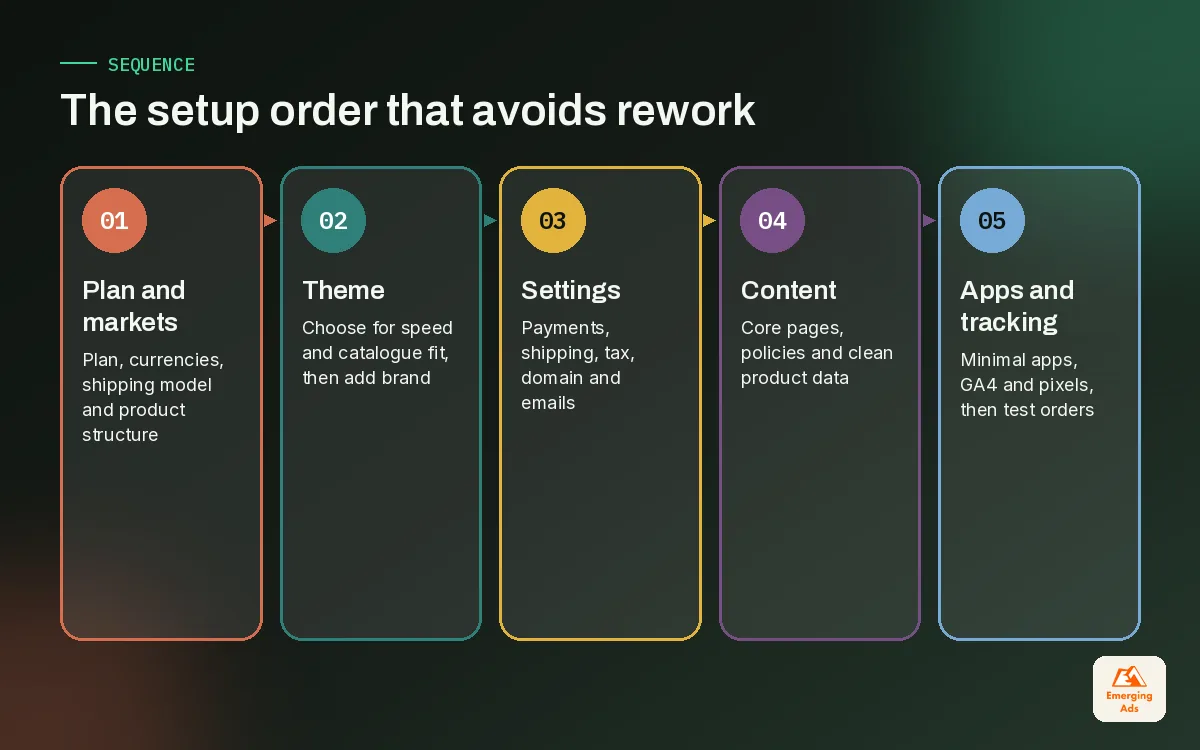
- Shopify store setup goes faster when you follow a fixed order: plan, theme, settings, pages, products, apps, tracking, QA, launch.
- Decide your plan, markets and shipping model before touching the theme, because those choices shape almost everything downstream.
- Start with a well built theme like Dawn or a Theme Store option, and resist installing apps until you know which gap each one fills.
- Tracking belongs in setup, not after launch. Without clean data from day one, your first ad spend teaches you nothing.
- A written pre-launch QA checklist and a calm launch week plan prevent the classic first-week problems: broken checkout, wrong shipping rates and missing emails.
01What a proper shopify store setup involves
Shopify makes it very easy to open a store. Pick a theme, add a product, connect payments and you are technically live. The trouble is that most of the stores we are asked to rescue were set up exactly that way, and the shortcuts taken in week one show up months later as wrong tax settings, messy product data, slow pages and tracking nobody trusts. A careful shopify store setup takes longer up front and far less time overall.
This guide follows the sequence our team uses for client launches, whether it is a new skincare brand or an established furniture business moving from another platform. Each stage depends on the one before it, so the order matters. If you jump straight to the theme before you know your shipping model, you will redesign the cart. If you install apps before your products are structured, you will reconfigure them.
Our main site covers how long a Shopify store setup takes in more detail. Here we focus on the steps themselves, what to decide at each one, and what we check before letting a store take its first order.
02Step 1: Choose your plan and plan your markets
Shopify plans include Basic, Shopify, Advanced and Shopify Plus. We are not going to quote prices, because they change and vary by region, but the practical difference for most new brands is in reporting depth, staff accounts, transaction fees and some advanced features. Shopify Plus is aimed at larger, high-volume businesses with more complex needs.
Our advice for a new store is to start on the plan that covers your needs for the next six months, not the next three years. Upgrading is simple. What is not simple is undoing a messy setup.
Markets, currencies and languages
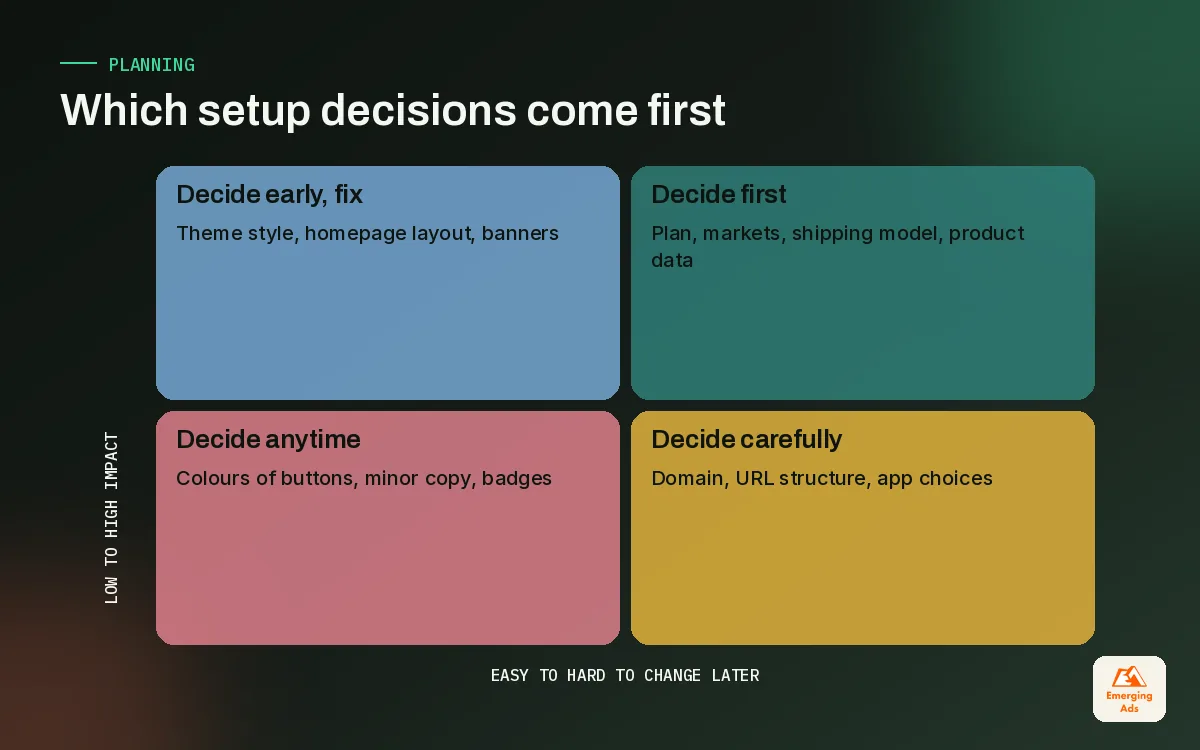
If you plan to sell in more than one currency or language, decide that now. Shopify Markets manages selling in multiple currencies and languages, and it affects pricing, domains, duties and how your theme displays content. Brands that bolt on international selling later often find their product descriptions, shipping rules and tax settings all need revisiting.
| Decision | Decide before | What it affects |
|---|---|---|
| Plan | Any setup work | Reports, staff accounts, fees, some features |
| Markets and currencies | Theme and pricing | Prices, domains, duties, translated content |
| Shipping model | Theme and cart design | Free shipping thresholds, rates, delivery promises |
| Product structure | Importing products | Variants, collections, filters, feeds |
| Brand basics | Theme customisation | Logo, colours, type, photography style |
03Step 2: Pick and shape your theme
Online Store 2.0, introduced in 2021, brought sections and app blocks to every page template, which means most layout changes can now happen in the theme editor without code. Dawn is Shopify’s free reference theme and a sensible baseline: it is clean and quick. Paid themes from the Shopify Theme Store add more design options, and a few are worth the money for catalogues with lots of filtering or merchandising needs.
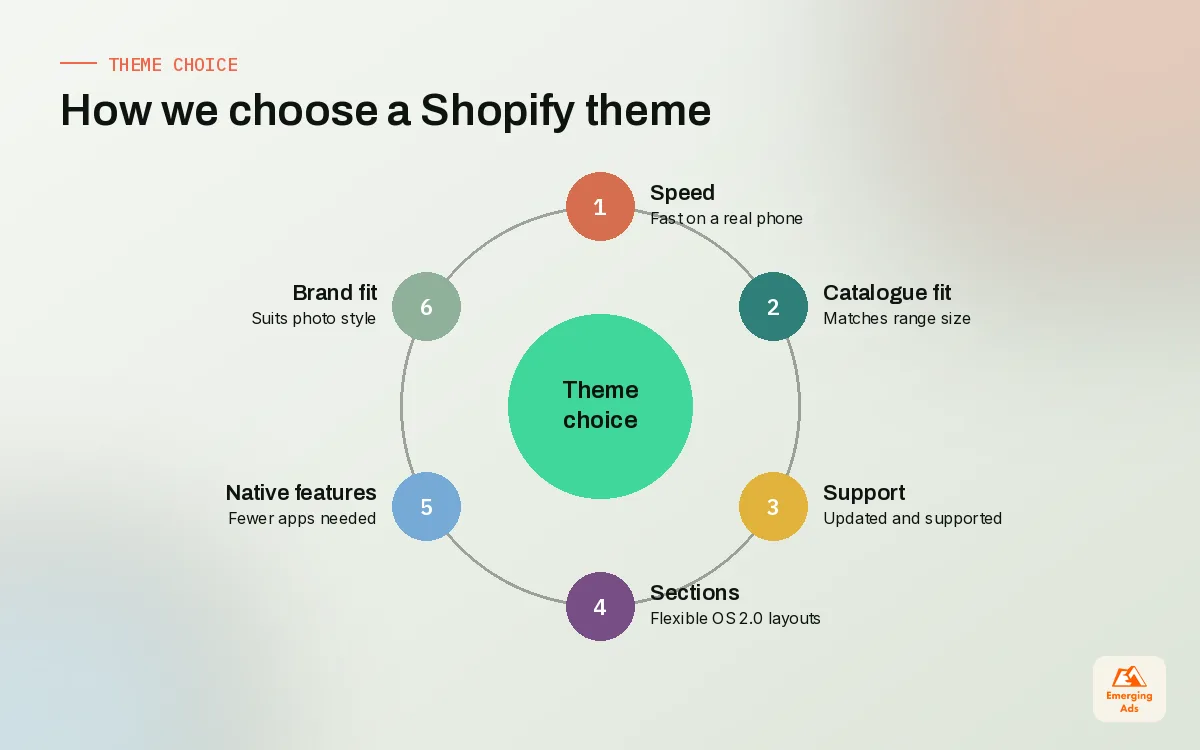
How we choose a theme
- Speed first. Test the theme demo on a phone over a normal connection. Heavy animation and auto-playing video look great in a pitch and cost you visitors in practice.
- Fit to catalogue size. A ten-product brand needs storytelling sections. A five-hundred-product store needs filtering, quick add and strong collection pages.
- Active support and updates. Check when the theme was last updated and how the developer handles support.
- Few must-have apps. A theme that already handles mega menus, size charts or product badges saves you apps later.
Before customising, make sure the brand assets are ready. A logo, colour palette and photography direction make theme decisions quick; without them, the store gets redesigned three times. If the brand is still forming, a short brand identity design project first is usually the faster route. Theme choice also sets your speed ceiling, which our Shopify speed optimisation team checks on every new build.
04Step 3: Configure the settings most people rush
Settings are dull, and that is why they cause so many problems. We work through them in this order on every shopify store setup, and we write down every choice so the client knows why it was made.
Payments
Set up Shopify Payments where available and enable Shop Pay, Shopify’s accelerated checkout. Add the wallets and methods your customers actually use. Run a live test transaction and refund it before launch.
Shipping and delivery
Build shipping zones and rates that match your real costs, then set any free shipping threshold with your average order value in mind. Check product weights, because wrong weights produce wrong rates. Be honest about delivery times; a cautious promise you beat is better than an optimistic one you miss.
Taxes and duties
Configure tax collection for the regions you sell into and decide whether prices include tax. This is an area where we always recommend a conversation with your accountant. Shopify handles the calculation, but the obligations are yours.
Domain, email and checkout
Connect your domain, set the primary version, and confirm the SSL certificate is active. Set a sender email on your own domain so order notifications do not land in spam. Checkout customisation now runs through Checkout Extensibility, using checkout UI extensions and Shopify Functions; checkout.liquid has been deprecated for the information, shipping and payment pages, so any checkout changes should be planned on the new system from day one.
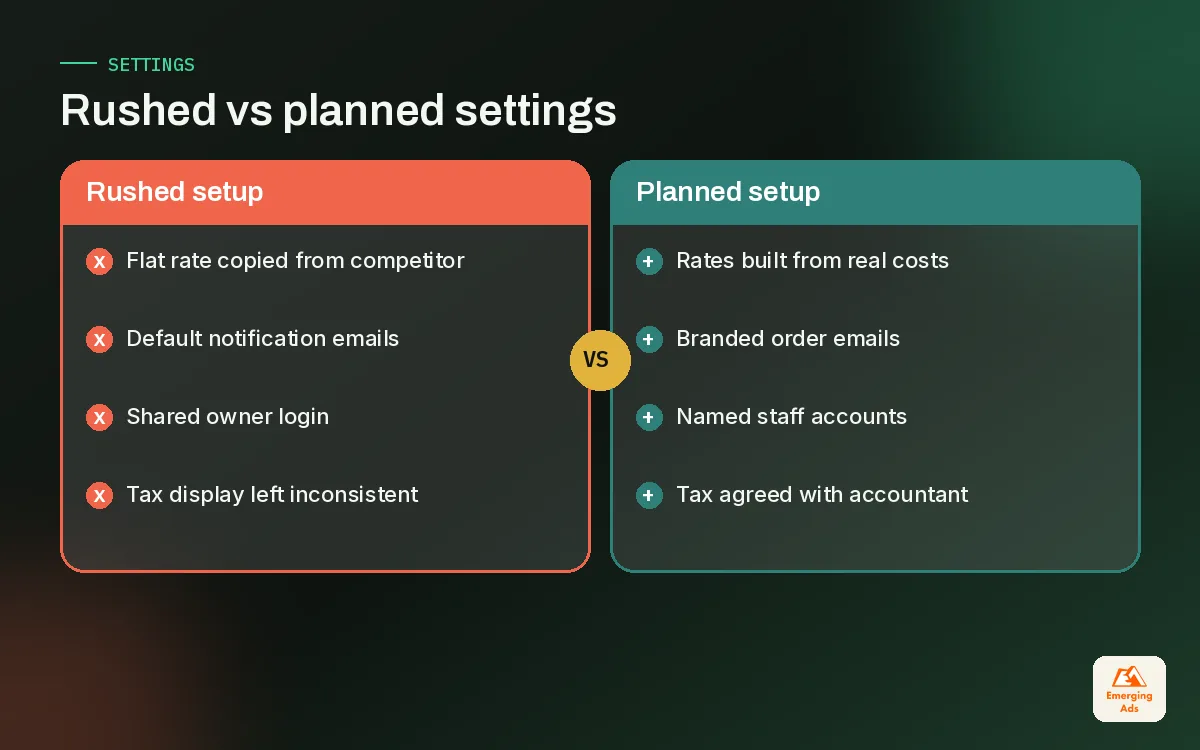
| Setting | Common mistake we see | What we do instead |
|---|---|---|
| Shipping rates | One flat rate copied from a competitor | Rates built from real carrier costs and weights |
| Free shipping threshold | Set below current order value | Set slightly above typical basket to lift AOV |
| Tax display | Inconsistent between markets | Agreed with the accountant and applied per market |
| Notification emails | Default templates, store name only | Branded templates with clear delivery info |
| Staff accounts | Everyone shares the owner login | Named accounts with the right permissions |
05Step 4: Build core pages, policies and products
With settings in place, the store needs content. Customers judge whether to trust a new brand in seconds, and the pages that build that trust are not glamorous ones.
The pages every new store needs
- Homepage with a clear promise, a route to best sellers, and proof such as reviews or press.
- Collection pages organised the way customers shop, not the way the warehouse stores stock.
- Product pages with honest photography, benefit-led copy, size or usage guidance, and shipping and returns information close to the add-to-cart button.
- About page that explains who is behind the brand and why it exists.
- Contact and FAQ pages with real answers and a real response time.
- Policy pages for refunds, shipping, privacy and terms. Shopify can generate templates, but edit them to match how you actually operate.
If you plan to run paid traffic to a specific offer, a focused page from our landing page design work often converts better than sending people to the homepage.
Products and catalogue structure
Decide your naming conventions, variant options, product types and tags before importing anything. For bigger catalogues a CSV import saves days, but only if the spreadsheet is clean. We cover data structure, variants and collections in detail in our Shopify product catalogue guide, so here is the short version: one product per real product, variants only for options a customer chooses between, and collections built from rules wherever possible.
Write product titles and descriptions with search in mind as well. Good ecommerce SEO starts at setup: clean URLs, descriptive titles, unique descriptions and alt text on images are much easier to get right now than to retrofit across hundreds of products.
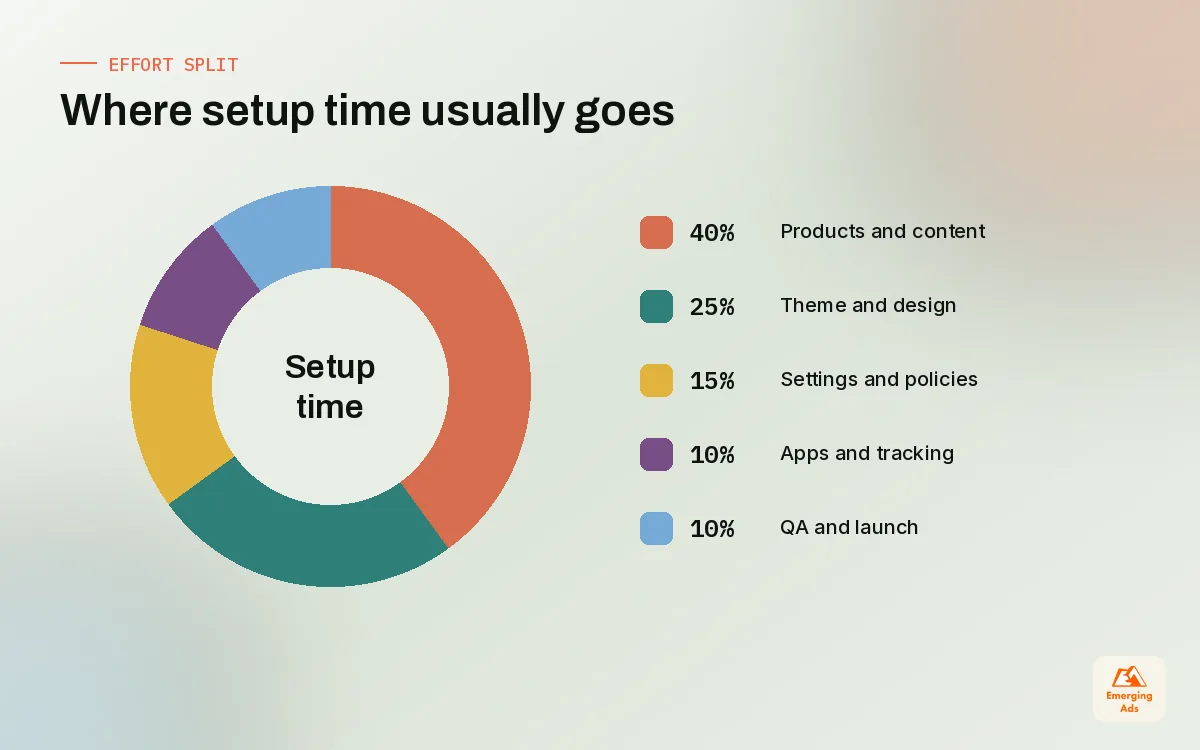
06Step 5: Add apps and tracking with restraint
New store owners often install fifteen apps in the first week. Every app that injects scripts can slow a store, and uninstalling an app does not always remove leftover theme code. Our rule is that an app has to fill a specific gap that the theme or Shopify’s native features cannot. We walk through how we evaluate them in our guide to Shopify apps.
A sensible launch stack
- Reviews: one reviews app, ideally one that can collect photo reviews.
- Email and SMS: a platform with welcome, abandoned cart and post-purchase flows ready at launch. On many stores we manage that is Klaviyo email marketing.
- Automation: Shopify Flow for internal tasks such as tagging high-value orders or alerting the team about low stock.
- Sales channels: the official Google and YouTube app and the Facebook and Instagram channel, so your products can appear in shopping placements.
Tracking from day one
GA4 connects through the Google and YouTube app, and Shopify customer events are the supported way to add other tracking pixels. Set both up before launch and place test orders. Without clean data from the first visitor, your first weeks of ad spend teach you nothing. Our conversion tracking setup service covers this for stores running several ad platforms. And if you plan to sell through shopping placements, sync your catalogue early so Google Shopping ads can launch once the feed is approved.
Every app you skip at launch is one less script to slow down your first customer.
07Step 6: The shopify store setup checklist before launch
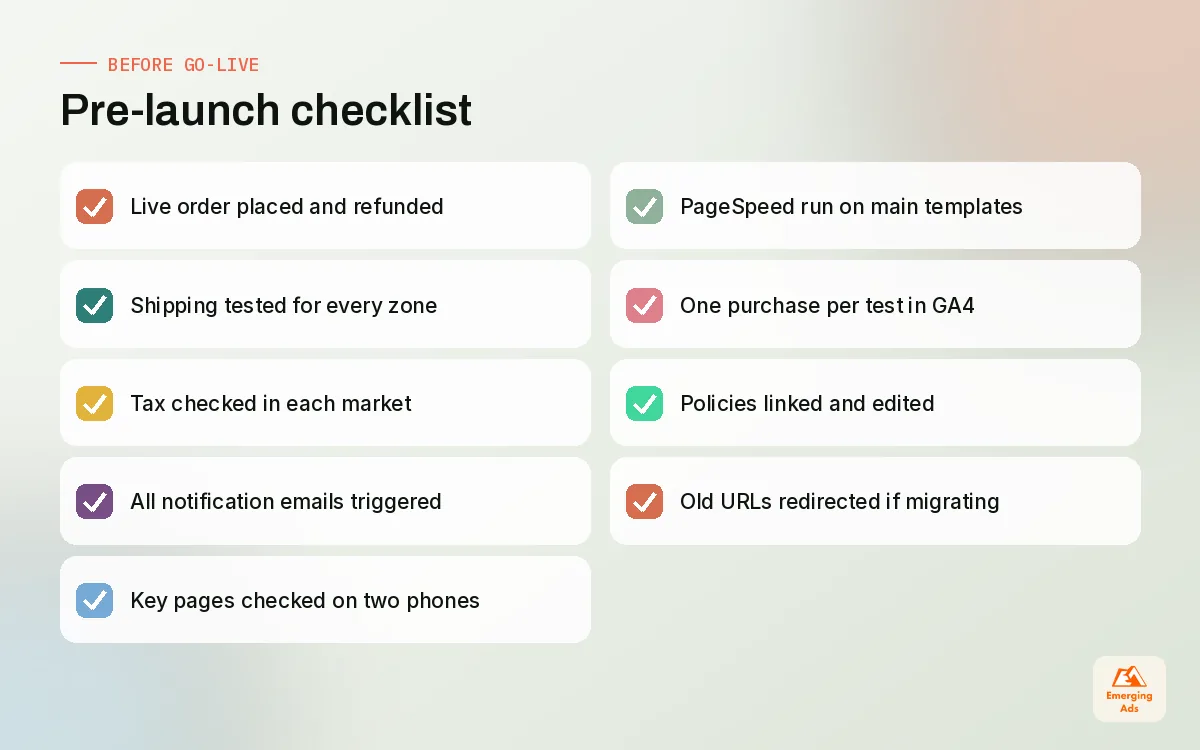
This is the checklist we run on every store before it takes its first real order. It looks long, but most items take minutes. Skipping them is how stores end up refunding a week of orders because shipping rates were wrong.
| Area | Check | Done when |
|---|---|---|
| Checkout | Live order placed and refunded with a real card | Order, payment and refund all appear correctly |
| Shipping | Test addresses in each zone | Rates and delivery times match the plan |
| Tax | Test orders in each market | Tax shows as agreed with the accountant |
| Emails | All order notifications triggered | Branded, accurate, not landing in spam |
| Mobile | Every key page on two real phones | No layout breaks or hidden buttons |
| Speed | PageSpeed Insights on home, collection and product | No obvious heavy images or blocking scripts |
| Tracking | Test purchase in GA4 and each pixel | Each purchase recorded once with the right value |
| Legal | Policies linked in footer and checkout | Pages edited to match real operations |
| Redirects | Old URLs if migrating | Old links land on the right new pages |
08Launch week and the first 30 days
Launch day should be quiet. Remove the password page in the morning, place one more live order, and keep the team available to answer messages quickly. The first real customers teach you more than any test, so read every question they ask and fix the page that caused it.
What to watch in the first month
- Checkout completion rate. A low rate after the first few dozen checkouts usually means a shipping cost surprise or a payment problem.
- Add-to-cart rate on top products. If people view but do not add, the product page needs work, not more traffic.
- Customer service questions. Repeated questions point to missing information on the site.
- Site speed after each app install. Shopify’s admin web performance report shows trends from real visitors.
After 30 days, the store moves from setup into management: weekly catalogue updates, promotions, testing and reporting. That is where most brands either build momentum or quietly stall.
If you would like a team to handle the build, our Shopify store setup service covers everything in this guide, and the full list of our ecommerce and marketing services shows how setup connects to growth afterwards. You can also read more about how we work on the teamemergingads.com homepage.
Frequently asked questions
Straight answers to what clients ask us most about shopify store setup.
How long does a Shopify store setup take?
Which Shopify plan should a new store choose?
Is the free Dawn theme good enough?
What settings should I configure first in Shopify?
Do I need apps to launch a Shopify store?
Should I set up tracking before or after launch?
How do I import products into a new Shopify store?
What pages does a new Shopify store need?
Can I customise the Shopify checkout?
What should I check before removing the password page?
When should I hire an agency for Shopify setup?
Launching a Shopify store and want it right first time?
We will review your setup plan or your nearly finished store and tell you exactly what to fix before launch day, from settings and tracking to speed and trust.
Book your free audit