Shopify Analytics: The Practical Guide We Hand to New Clients
Most Shopify stores have too many numbers and not enough answers. This is the shopify analytics setup we hand every new client: which reports to trust, which KPIs to watch, and how to stop three tools telling three different stories.

Key takeaways
- Shopify’s own reports are the source of truth for orders and revenue. GA4 and ad platforms are for behaviour and attribution, not for your sales total.
- Add tracking through the Google and YouTube app and Shopify customer events, not by pasting scripts into theme files that nobody remembers later.
- Revenue per visitor, conversion rate, AOV, repeat purchase rate and contribution margin tell you more than any vanity metric on the home dashboard.
- Cohort and lifetime value reporting changes how much you can afford to pay for a new customer, which changes your whole ad strategy.
- Expect numbers to differ across tools. Write down why they differ, agree on one source per question, and reconcile monthly instead of arguing weekly.
01Why shopify analytics confuses almost every new client
The first week with a new store usually includes the same conversation. The founder opens Shopify and sees one revenue number, opens GA4 and sees a lower one, opens Meta Ads Manager and sees a purchase count that seems far too generous, and asks which of us is lying. Nobody is lying. Each tool is answering a slightly different question, and shopify analytics only becomes useful once you know which question each one answers.
We manage stores across fashion, beauty, supplements, home, pet and electronics, and the pattern is remarkably consistent. The store has data everywhere and decisions nowhere. Reports were set up by three different freelancers over two years, a pixel was installed twice, and the weekly meeting spends twenty minutes debating which conversion rate is real before anyone talks about what to change.
This guide is the document we give clients to end that debate. It is not a tour of every report in the admin. It is a working setup: what to trust, how to install tracking cleanly, the handful of KPIs that actually move a business, and how to read them together. If you only take one idea away, take this one: agree on a single source for each question before you look at a single number.
02Shopify analytics vs GA4: what each tool is actually for
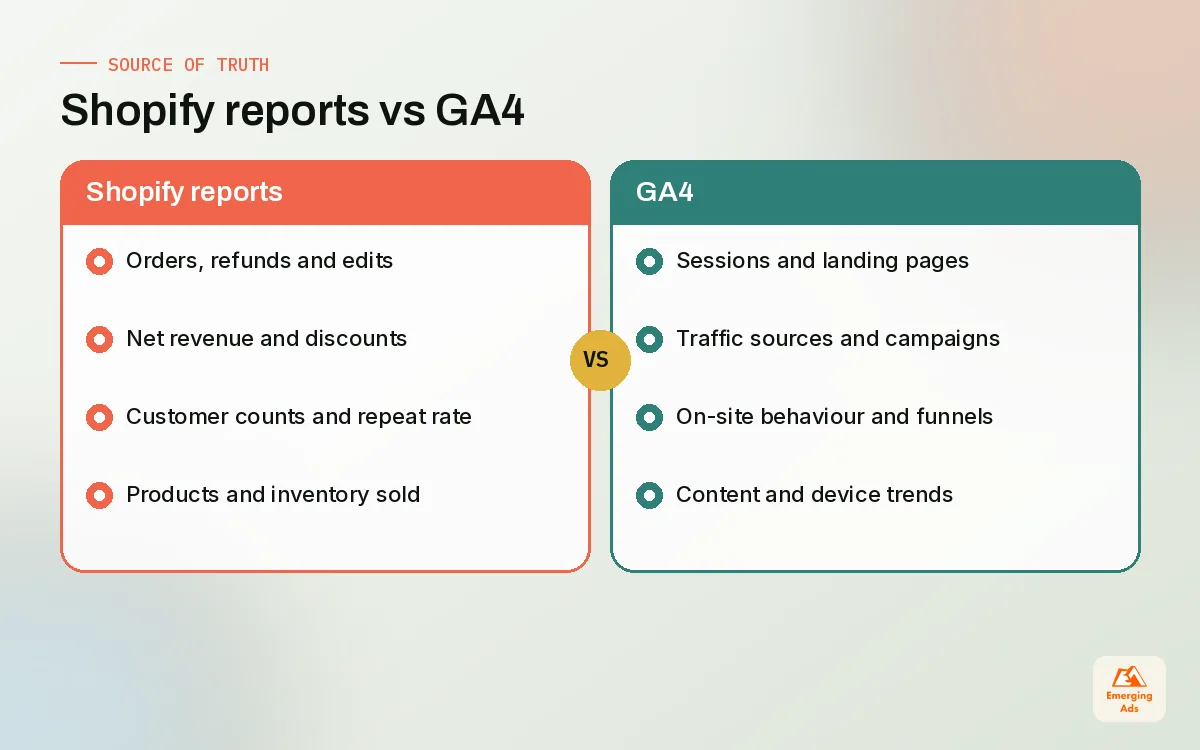
Shopify Analytics and Reports are built into the admin, and they sit directly on top of your order data. When an order is placed, refunded or edited, Shopify knows about it, because Shopify processed it. That makes the admin the right place for revenue, orders, units, refunds, discounts and customer counts. It is the ledger.
GA4 is different. It collects events from browsers, so it sees sessions, landing pages, scroll depth, product views and traffic sources. It is excellent for understanding behaviour and channels, but it depends on scripts running in a visitor’s browser. Consent banners, ad blockers and browser privacy settings all trim what it can see. That is why GA4 revenue almost never matches Shopify exactly, and it is not supposed to.
| Question you are asking | Best source | Why |
|---|---|---|
| How much did we sell last month? | Shopify reports | Built on actual orders, refunds and edits |
| Which landing pages lose the most visitors? | GA4 | Session and page level behaviour data |
| Which channel brings our best customers? | GA4 plus Shopify customer data | Source from GA4, value from Shopify |
| Is this Meta campaign profitable? | Shopify orders vs Meta spend | Platform reporting tends to claim generously |
| Are repeat customers growing? | Shopify customer reports | Customer records live in Shopify |
| Where do people drop out before checkout? | GA4 funnel and Shopify add-to-cart data | Behaviour plus confirmed outcomes |
The built-in reports worth opening weekly
You do not need to read every report. On most accounts we manage, the weekly view is the overview dashboard, sales over time, sales by channel, sessions by landing page, the conversion funnel figures (sessions, added to cart, reached checkout, completed), and returning customer rate. Shopify’s admin also includes a web performance report based on real visitor data, which is worth a glance whenever someone installs a new app.
If you want help building the GA4 side properly, our GA4 setup service covers property structure, ecommerce events and the reports we actually use, rather than the default screens most stores never customise.
03Setting up GA4 and pixels the clean way on Shopify
Half the reporting problems we inherit are installation problems. A GA4 tag in the theme, another through an app, a third left behind by an old agency, and suddenly every purchase is counted twice. Before we look at any numbers on a new store, we audit what is firing and where it comes from.
The supported route
GA4 connects to Shopify through the Google and YouTube app, which sends ecommerce events without you editing theme code. For other platforms, Shopify’s customer events (Web Pixels) are the supported way to add tracking pixels. Pixels added there run in a sandbox, apply your customer privacy settings, and survive theme changes. That last point matters more than people think: we have seen stores lose all conversion tracking for weeks after a theme update because the old script lived in a file that was replaced.
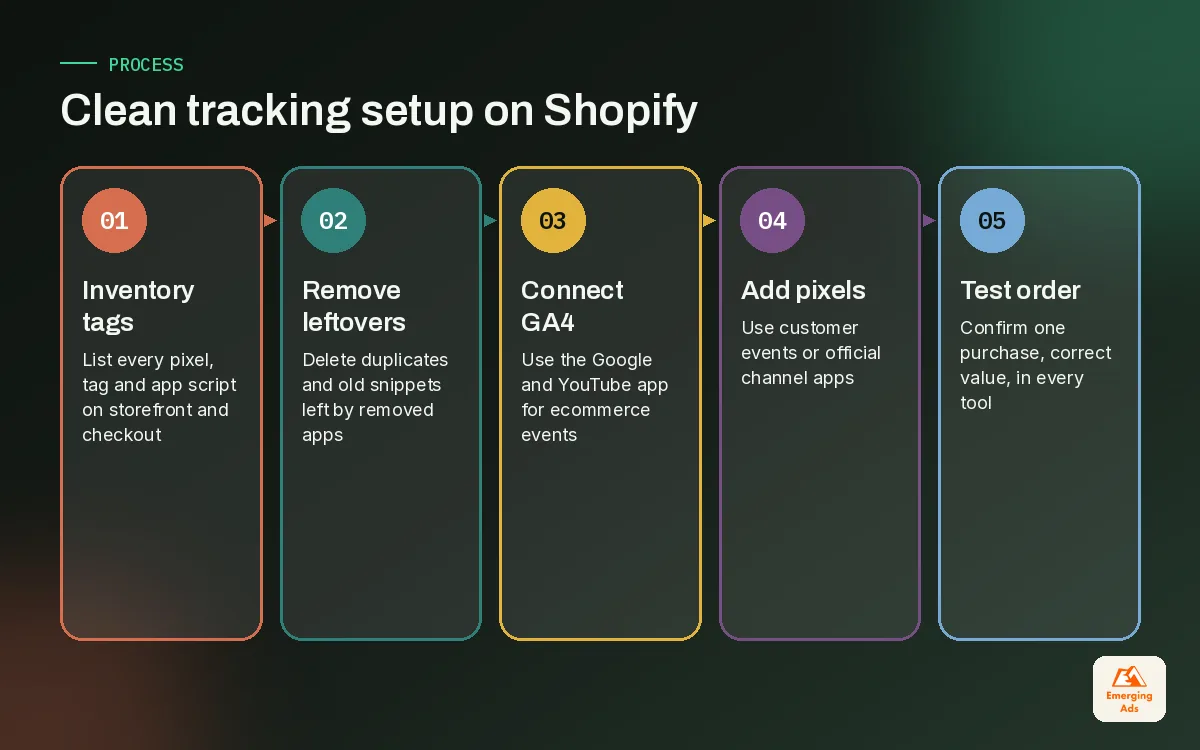
- Inventory everything that fires. List every tag, pixel and app script on the storefront and checkout. Use your browser’s network tab and the customer events screen.
- Remove duplicates and leftovers. Uninstalling an app does not always remove its theme code, so check theme files for old snippets.
- Install GA4 through the Google and YouTube app. Confirm view_item, add_to_cart, begin_checkout and purchase all appear in GA4’s real-time and DebugView.
- Add ad platform pixels through customer events or the official channel apps. For Meta, the Facebook and Instagram channel handles the pixel and Conversions API.
- Place a test order. Check it lands once, with the right value, in Shopify, GA4 and each ad platform.
- Write it down. A one-page tracking map saves the next person hours.
Meta tracking has its own quirks around deduplication and server events, which is why we treat it as a separate job through our Meta pixel tracking setup work. For stores running several platforms at once, a broader conversion tracking setup keeps every purchase signal consistent.
04The shopify analytics KPIs that actually matter
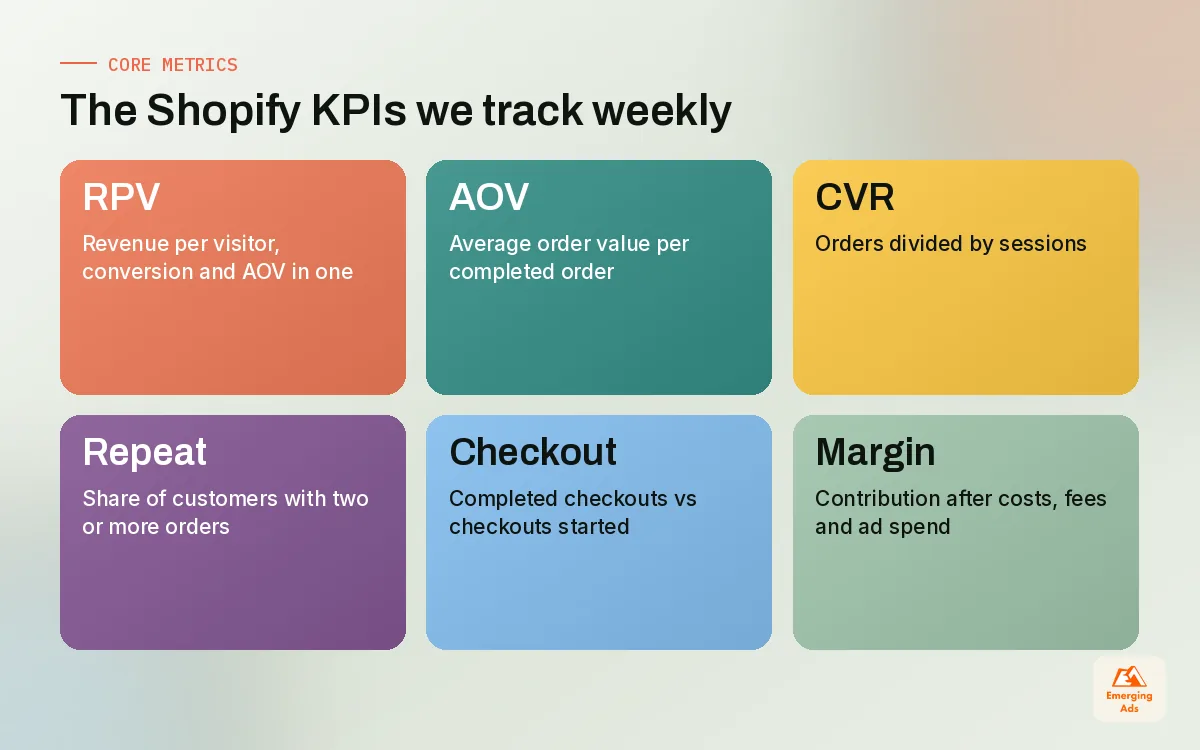
A Shopify dashboard can show you dozens of metrics. We ask clients to commit to a short list and look at the rest only when one of these moves unexpectedly. Here are the definitions we use, so everyone on the account means the same thing.
| KPI | How we define it | What it tells you |
|---|---|---|
| Conversion rate | Orders divided by sessions | How well the store turns visits into buyers |
| Average order value (AOV) | Revenue divided by orders | How much each buyer spends per order |
| Revenue per visitor (RPV) | Revenue divided by sessions | Conversion and AOV combined in one number |
| Add-to-cart rate | Sessions with an add to cart divided by sessions | Whether product pages persuade |
| Checkout completion rate | Completed checkouts divided by checkouts started | Friction in shipping, payment and trust |
| Repeat purchase rate | Customers with 2 or more orders divided by all customers | Whether the product earns a second order |
| Contribution margin | Revenue minus product cost, shipping, fees, discounts and ad spend | Whether growth is actually making money |
Why we lead with revenue per visitor
Conversion rate on its own misleads. A free gift promotion can lift conversion while cutting AOV, and a bundle offer can do the opposite. Revenue per visitor captures both. When a client asks whether a change worked, RPV is usually the first number we check, followed by contribution margin to confirm the extra revenue did not cost more than it earned. Our sister piece on Shopify conversion rate optimisation goes further into how we use RPV to judge tests.
The metric most stores ignore
Contribution margin is not in the default Shopify dashboard, and that is exactly why it gets ignored. You have to bring in product costs, shipping costs and ad spend. It takes an afternoon to build in a spreadsheet and it changes conversations immediately. We have seen a supplement brand celebrate record revenue during a sale week that, once discounts and ad costs were counted, earned less margin than an ordinary week.
05Cohorts, repeat purchase and lifetime value
If your store sells anything people buy more than once, cohort reporting is where shopify analytics starts to earn its keep. A cohort is simply a group of customers who made their first purchase in the same period. Tracking what each cohort spends over the following months tells you how valuable a new customer really is.
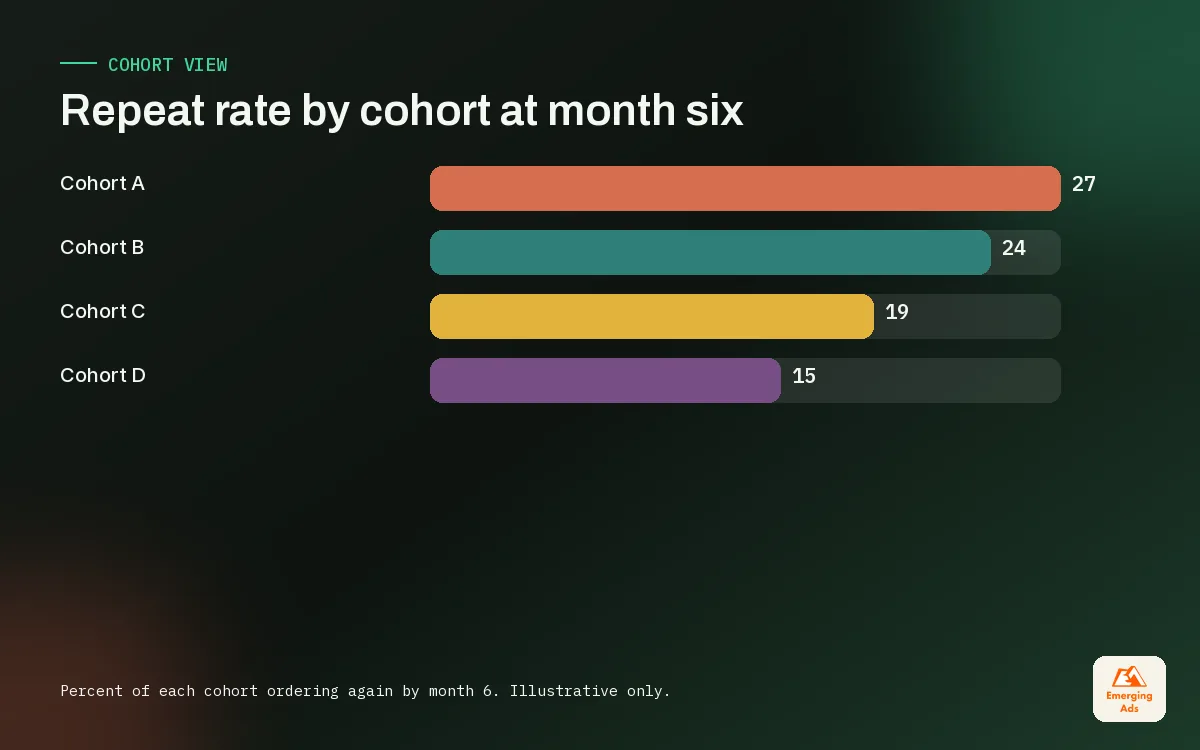
Shopify’s customer reports and customer cohort analysis give you a starting point. For deeper work, we export orders and build a simple cohort table. The illustrative example below shows what we look for: how much of each cohort comes back, and whether newer cohorts behave better or worse than older ones.
| First-order month | Customers | Ordered again by month 3 | Ordered again by month 6 |
|---|---|---|---|
| Cohort A | 1,000 | 18% | 27% |
| Cohort B | 1,200 | 16% | 24% |
| Cohort C | 1,500 | 12% | n/a yet |
Illustrative figures, not client data. In this example, cohort C is larger but returning less often. That is a common pattern when a store scales paid acquisition with a heavy first-order discount: you attract more deal hunters. The fix is rarely in the ads alone. It is usually in the offer, the post-purchase flows and the product range.
Turning cohorts into an acquisition budget
Once you know roughly what a customer is worth over six or twelve months in margin terms, you can set a target acquisition cost that the business can afford. Without that number, ad budgets get set by gut feel or by whatever the platform dashboard says return on ad spend was yesterday. Retention work through ecommerce email marketing is often the cheapest way to raise lifetime value, which then gives the paid team more room to bid.
The most expensive customer is the one you paid to acquire and never heard from again.
06Building a shopify analytics dashboard people actually read
A good dashboard answers the same few questions every week, in the same place, without anyone exporting anything. A bad one is a wall of charts that only its builder understands. We build most client dashboards in Looker Studio because it pulls Shopify, GA4 and ad platform data into one view and everyone can open it in a browser.
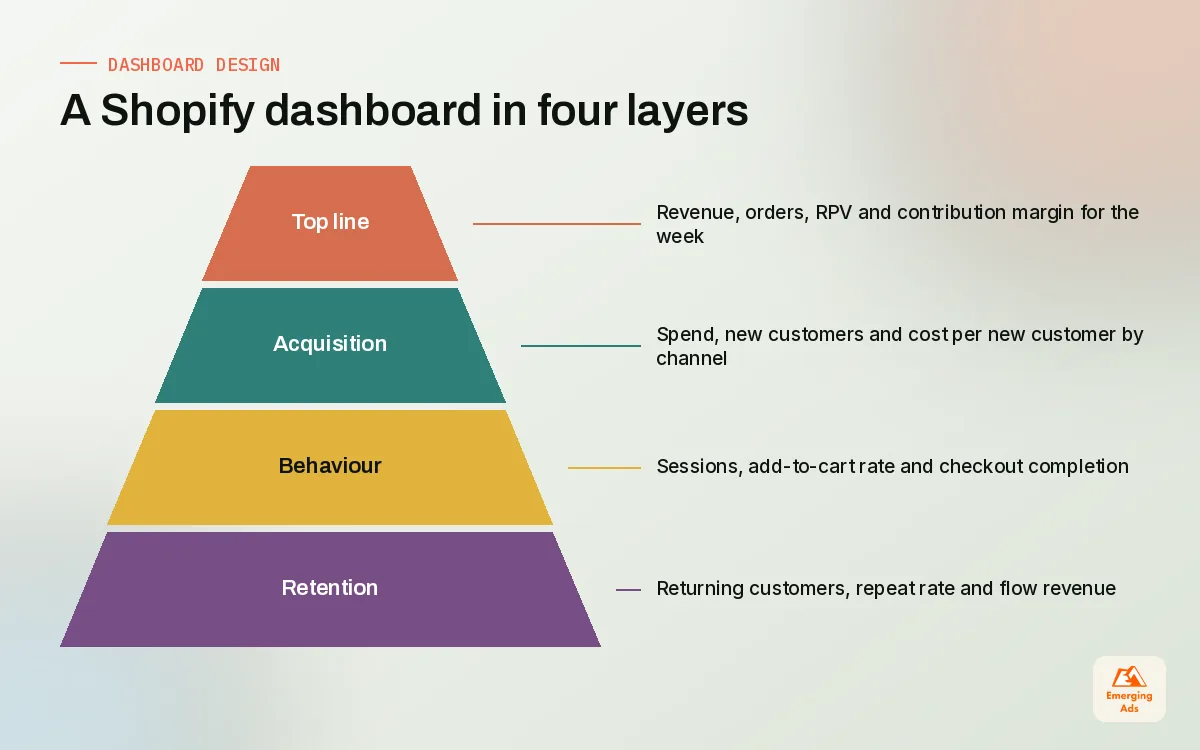
The four-layer layout we use
- Top line: revenue, orders, RPV and contribution margin for the week, compared with the previous period and the same period last year.
- Acquisition: spend, new customers and cost per new customer by channel, with Shopify orders as the denominator rather than platform-claimed purchases.
- Site behaviour: sessions, add-to-cart rate, checkout completion rate and the five landing pages with the biggest change.
- Retention: returning customer rate, repeat purchase rate and revenue from email and SMS flows.
Our Looker Studio dashboard builds follow this layout, and the most common feedback from founders is that the weekly meeting gets shorter. When something looks odd in the behaviour layer, we go to recordings and click maps, often with heatmap analysis tools, before anyone guesses at the cause.
07Reconciling numbers across Shopify, GA4 and ad platforms
Numbers will never match perfectly. The goal is not identical totals, it is gaps you understand and that stay stable. When a gap suddenly widens, that is your signal that something broke.
Why the totals differ
- Consent and blockers. Visitors who decline tracking or block scripts still buy. Shopify counts the order, GA4 may not.
- Attribution windows. Ad platforms credit purchases within their own click and view windows, so two platforms can claim the same order.
- Timing. Shopify records the order at checkout; some platforms report by click date instead of purchase date.
- Refunds and edits. Shopify reflects refunds; GA4 and ad platforms often keep the original purchase value.
- Currency and tax settings. Stores using Shopify Markets can report in different currencies, and tax or shipping may be included in one tool and excluded in another.
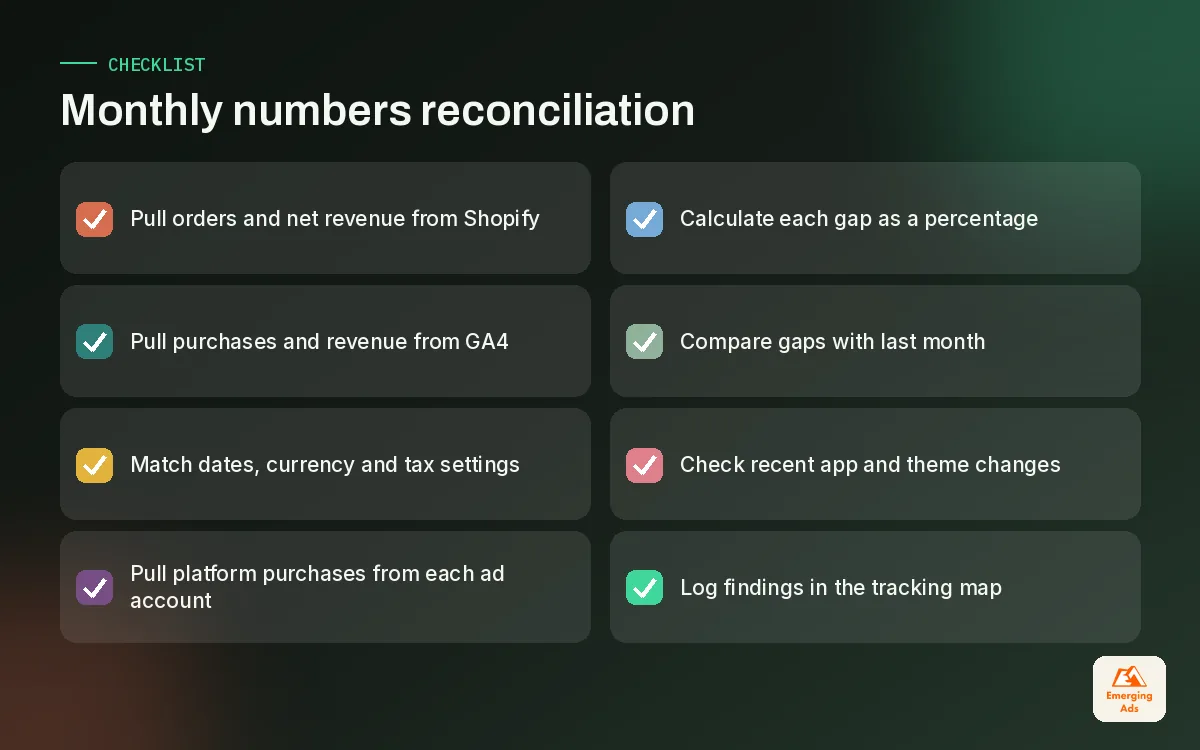
A monthly reconciliation routine
- Pull total orders and net revenue from Shopify for the month.
- Pull purchases and revenue from GA4 for the same dates and currency.
- Pull platform-reported purchases from each ad account.
- Calculate the gap as a percentage and compare it with last month.
- If any gap moved by more than a few points, check recent app installs, theme changes and pixel settings first.
For brands with several sales channels or offline revenue, we often go further with advanced website tracking, such as server-side events, so the gaps narrow and stay predictable. Either way, the habit matters more than the tooling.
08Turning shopify analytics into weekly decisions
Reporting has no value until it changes what someone does on Monday. On the stores we manage, every weekly review ends with no more than three actions, each tied to a number. If RPV dropped on mobile, someone checks the mobile product page. If repeat rate slipped for the newest cohort, someone reviews the post-purchase emails. If cost per new customer climbed on one channel, the paid team looks at creative fatigue before touching budgets.
That discipline is what joins analytics to marketing. Our Shopify marketing guide covers how those channel decisions get made, and our Shopify ecommerce marketing service is built around the same weekly loop: read the numbers, pick the few things that matter, change them, measure again.
You can set all of this up yourself with patience and a clear tracking map. Where outside help pays off is in the audit at the start and the discipline after it. If you would like to see how we work, start on the teamemergingads.com homepage or browse the full range of EmergingAds services to see how analytics connects to everything else we run for Shopify brands.
Frequently asked questions
Straight answers to what clients ask us most about shopify analytics.
Is Shopify Analytics enough on its own?
Why does GA4 show less revenue than Shopify?
How do I connect GA4 to my Shopify store?
What are Shopify customer events?
Which KPI should a small Shopify store focus on first?
How is revenue per visitor calculated?
What is a good repeat purchase rate for Shopify?
Why do Meta and Google both claim the same sale?
How often should I reconcile my Shopify numbers?
Do I need Looker Studio if Shopify has dashboards?
Can I track lifetime value inside Shopify?
Not sure which of your Shopify numbers to believe?
We will audit your Shopify reports, GA4 and ad pixels side by side, show you where the gaps come from, and give you a short list of fixes in plain English.
Book your free audit