The Shopify Product Page That Sells: A 2026 Build Guide
Your Shopify product page is where the shopper finally decides. This is the element-by-element build we use on the stores we manage, with the reasoning behind every block and the tests worth running first.
Key takeaways
- A Shopify product page has one job: answer every question a buyer has before they think to leave. Most pages fail on delivery, returns and sizing, not on design.
- Images do most of the selling. Lead with the clearest shot of the product, then show scale, detail, use and proof, in that order.
- The area around the add-to-cart button is the most valuable space on the store. Price, variants, stock, delivery promise and one line of reassurance belong there.
- Write descriptions for scanning first: a short benefit summary, then specs, then the story. Hide nothing important behind a tab.
- Measure add-to-cart rate and revenue per visitor per template, then test one big idea at a time rather than button colours.
01Why the Shopify product page carries the whole store
Ask a founder where their store loses money and most will point at the checkout. When we pull the funnel data on a new account, the bigger leak is usually one step earlier. The Shopify product page is where interest becomes intent, and on most stores we inherit, somewhere between 85 and 95 percent of product page visitors leave without adding anything to the cart. Some of that is normal browsing. A good chunk of it is avoidable.
Paid traffic makes this worse. A shopper who clicks a Meta ad or a Shopping listing often lands straight on a product page, skipping the homepage and the collection that would have warmed them up. The product page has to do the introduction, the persuasion and the close in one scroll. That is a lot to ask of a template most brands set up once at launch and never revisit.
This guide is the anatomy we work through on every product page review. It sits inside the wider funnel process we describe in our Shopify conversion rate optimisation guide, which covers research, prioritisation and testing across the whole store. Here we zoom right in on one template, because on most stores it is the one that matters most.
02The anatomy of a high-converting Shopify product page
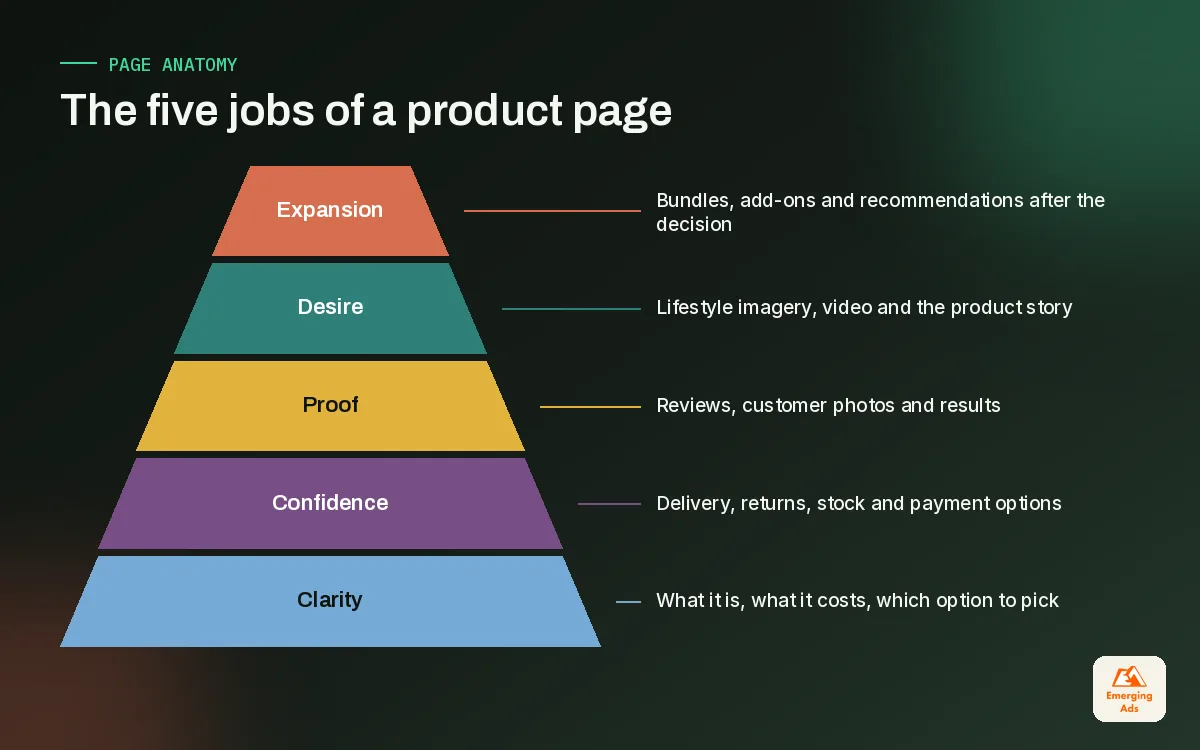
Before touching design, it helps to see the page as a stack of jobs. We sketch it as a pyramid. The bottom layers have to be solid before the top ones earn anything. A beautiful lifestyle video will not save a page where the shopper cannot work out the delivery cost.
- Clarity. What is it, what does it cost, which option do I want. If any of these takes more than a few seconds, nothing else matters.
- Confidence. Delivery time, returns, payment options, stock status. The practical worries that stop a purchase.
- Proof. Reviews, photos from real customers, press or expert mentions, results.
- Desire. Lifestyle imagery, video, the story behind the product, the feeling of owning it.
- Expansion. Bundles, add-ons and recommendations that raise order value once the decision is made.
Online Store 2.0 made this much easier to build. Since 2021, Shopify themes support sections and app blocks on every page template, so you can add a delivery block, a size guide or a review widget to the product template without editing code. Dawn, Shopify’s free reference theme, shows the basic pattern well. Most premium themes from the Shopify Theme Store build on the same idea with more options.
One template or several?
Many stores run every product through a single template. That works for a tight catalogue. Once you sell products with very different buying questions, say a simple accessory and a considered furniture piece, create alternate templates. The sofa needs dimensions, fabric swatches and delivery lead times high on the page. The cushion does not. We usually end up with two to four templates on a mid-sized catalogue.
03Images and video: the first ten seconds
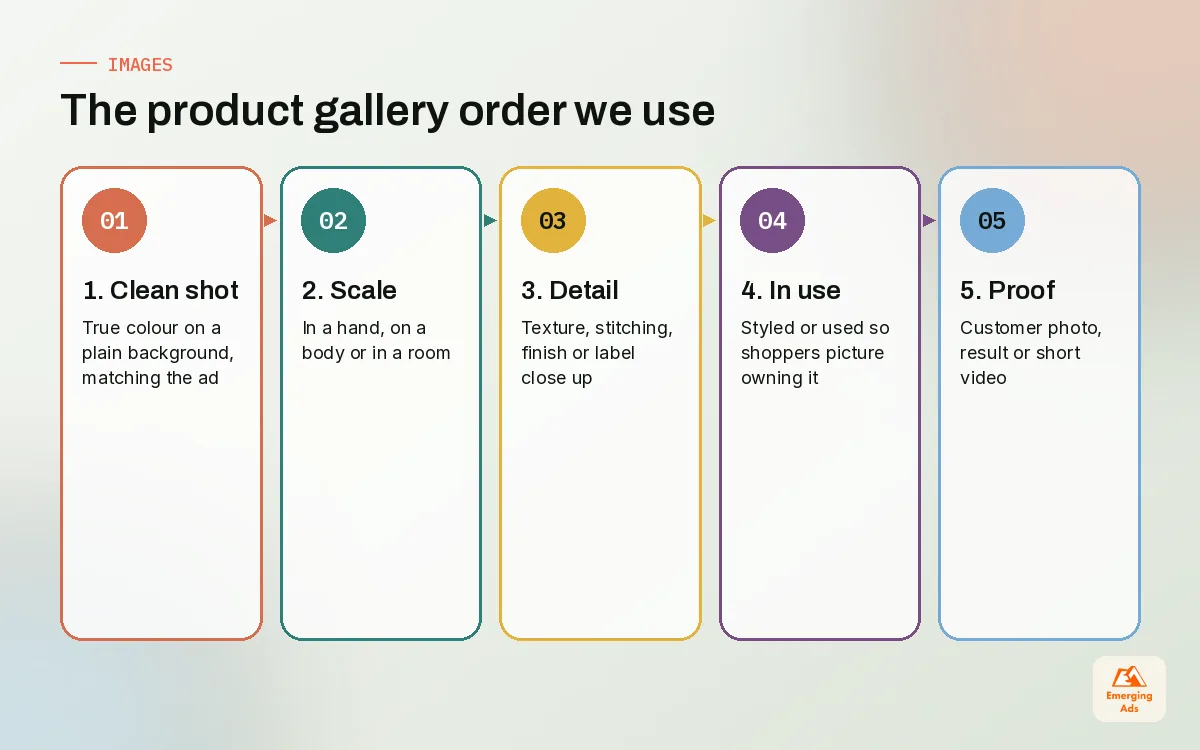
Shoppers look before they read. On mobile, the gallery fills the whole first screen, so the image order is effectively your headline. We follow a simple sequence on almost every Shopify product page we build.
| Position | What to show | Why it earns the slot |
|---|---|---|
| 1 | The product, clean background, true colour | Instant recognition, matches the ad or Shopping listing |
| 2 | Scale: in a hand, on a body, in a room | Answers ‘how big is it’ before anyone asks |
| 3 | Close detail: texture, stitching, finish, label | Signals quality and reduces ‘not as pictured’ returns |
| 4 | In use or styled | Helps the shopper picture owning it |
| 5 | Proof: customer photo, before and after, result | Social proof inside the gallery, where eyes already are |
| 6 | Short video, 15 to 40 seconds | Shows movement, fit or function that stills cannot |
A skincare client we work with moved texture shots from position six to position two, showing the product on skin rather than in the jar. Add-to-cart rate on those pages rose noticeably over the following month, and their returns from ‘wrong texture’ complaints dropped. Nothing else on the page changed. The lesson repeats across categories: show the thing the shopper is most unsure about early.
Video without the speed penalty
Video helps, but autoplaying a heavy file at the top of the page can hurt load time on mobile. Upload video to Shopify’s media library rather than embedding a third-party player where you can, use a light poster image, and avoid making the video the first gallery item unless it is short and compressed. If you need product video shot properly, our video content production team plans clips around the questions a product page needs answered, not around a brand film.
04Title, price and variants: removing doubt above the fold
The title should say what the product is in words a shopper would search. ‘The Aurora’ is a lovely name; ‘The Aurora Linen Duvet Cover, Double’ is a title. Keep the brand flourish, add the plain description. This also helps the page rank and match Shopping feed titles, which is something our Google Shopping ads team cares about a great deal.
Price should sit directly under the title, with any sale price and original price shown clearly. If you sell internationally, Shopify Markets lets you show local currency, which removes a surprisingly common hesitation. If you offer instalments or Shop Pay, a single short line under the price is enough. Stacking three payment badges and a financing widget above the variant picker pushes the important things down.
Variant selectors that do not cause mistakes
- Use swatches for colour and buttons for size. Dropdowns hide options and add a tap on mobile.
- Show unavailable options as crossed out rather than hiding them, so shoppers know the size exists and might come back.
- Change the gallery when the colour changes. Few things erode trust faster than a navy swatch showing a green product.
- Put the size guide link next to the size selector, not in the description tab. Fashion and footwear stores we manage see fewer size-related returns once this moves.
- Avoid preselecting a size on apparel. A default size leads to orders in the wrong one.
On the variant side, the data structure matters as much as the design. If your options are messy in the admin, they will be messy on the page. This is one area where steady Shopify store management pays for itself, because variant hygiene drifts every time a new range is added in a hurry.
05The add-to-cart zone: the most valuable space on your store
Everything between the price and the add-to-cart button, plus the few lines directly beneath it, is what we call the buy box. This is where shoppers hover their thumb while they decide. On a high-converting Shopify product page, the buy box answers practical worries before they turn into exits.
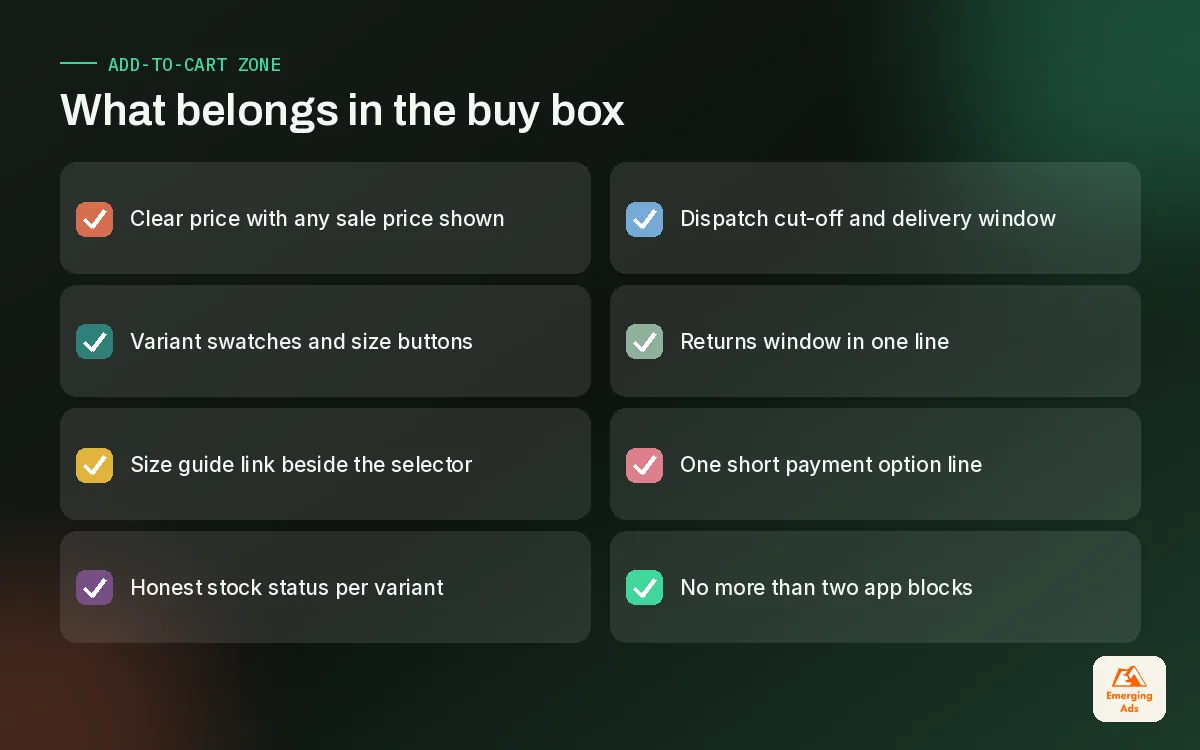
The single most effective addition we make is a delivery promise in plain words: ‘Order by 2pm for dispatch today’ or ‘Arrives in 2 to 4 working days’. It works better than a generic shipping icon because it is specific. The second is a one-line returns statement with the actual window. The third is stock information, used honestly. Fake scarcity timers erode trust and we remove them when we find them.
Sticky add-to-cart on mobile
On long mobile pages, a sticky add-to-cart bar that appears once the main button scrolls out of view is one of the few widely useful patterns. Test it, but we rarely see it hurt. Make sure it respects the variant selection and does not cover the cookie banner or chat button. Most modern themes include one; if yours does not, it is a small build rather than another app.
06Descriptions, reviews and delivery clarity
Descriptions on most stores are either a single line or a wall of brand copy. Neither helps. We structure descriptions for three kinds of reader: the scanner, the comparer and the believer.
- For the scanner: three to five benefit bullets near the top. What it does for you, not what it is made of.
- For the comparer: a clean specs block. Dimensions, materials, ingredients, care, compatibility. Tables work well here.
- For the believer: the story, the sourcing, the founder note. Valuable, but it goes last.
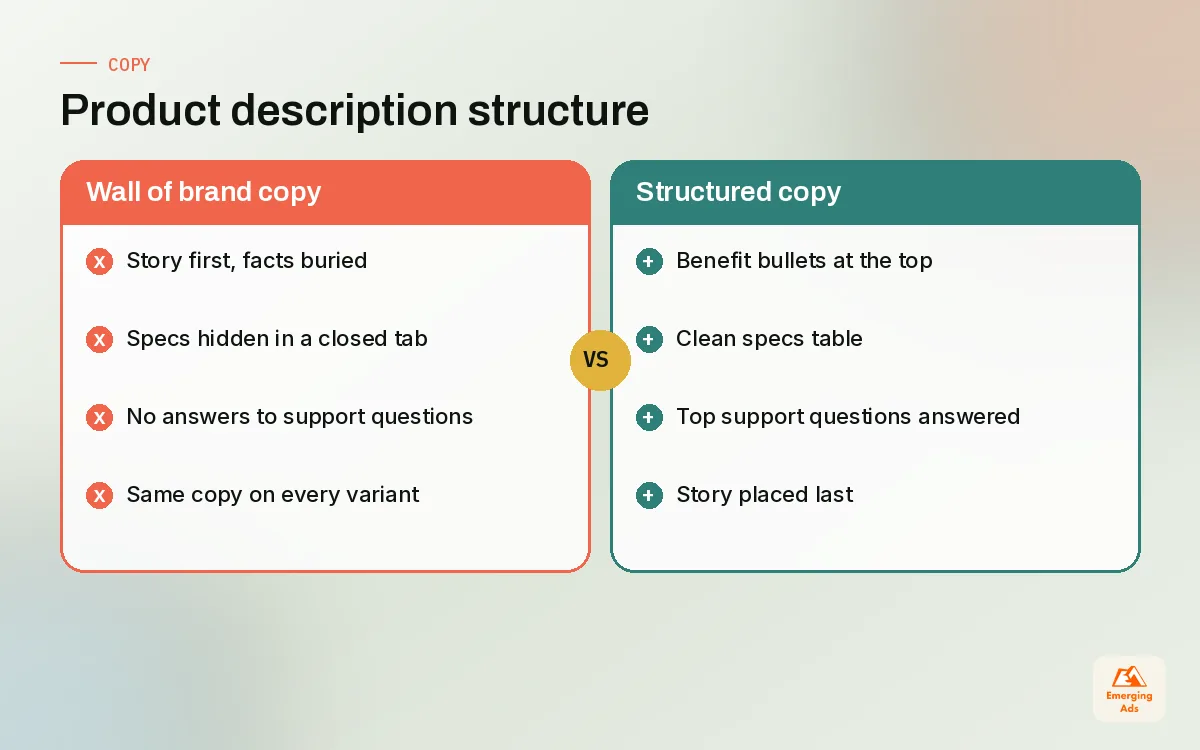
Accordions are fine for long content, but do not hide the answers people most need. If your support inbox gets the same question about a product every week, that answer belongs visible on the page, not three taps deep. We often read a client’s last 200 support tickets before rewriting product copy. It is the quickest research you can do.
Reviews and user-generated content
Reviews do two jobs. The star rating near the title gives a quick signal, and the full review section deeper down answers specific doubts. Encourage photo reviews and let shoppers filter by attributes that matter in your category, such as skin type for skincare or height for clothing. A handful of honest three-star reviews makes the five-star ones more believable, so do not hide them.
The best review volume comes from a post-purchase email sent once the product has had time to work, not the day it ships. We build these requests into the flows our ecommerce email marketing team runs, timed by category: a few days for accessories, several weeks for supplements or skincare.
Delivery and returns: say it on the page
| Shopper worry | Weak answer | Strong answer on the page |
|---|---|---|
| When will it arrive? | Link to shipping policy | Dispatch cut-off and delivery window in the buy box |
| What if it does not fit? | Returns page in the footer | Returns window and process in one line under the button |
| Is it in stock? | Nothing until checkout | Clear in-stock or made-to-order note per variant |
| What does delivery cost? | Revealed at checkout | Free delivery threshold shown near the price |
07Cross-sells, bundles and the mobile layout
Cross-sells belong after the decision, not before it. A ‘complete the look’ block under the buy box works well in fashion and home. ‘Frequently bought together’ works for consumables and accessories. What rarely works is a pop-up offering an upsell the moment someone lands. On stores we manage, the strongest average order value gains come from bundles that make genuine sense, such as a cleanser and moisturiser set or a pet bed with a washable cover, priced so the saving is obvious.
Shopify’s own product recommendations work reasonably well once a store has some order history. For newer stores, manual pairings chosen by someone who knows the range usually beat an algorithm with little data to learn from.
Designing for the thumb first
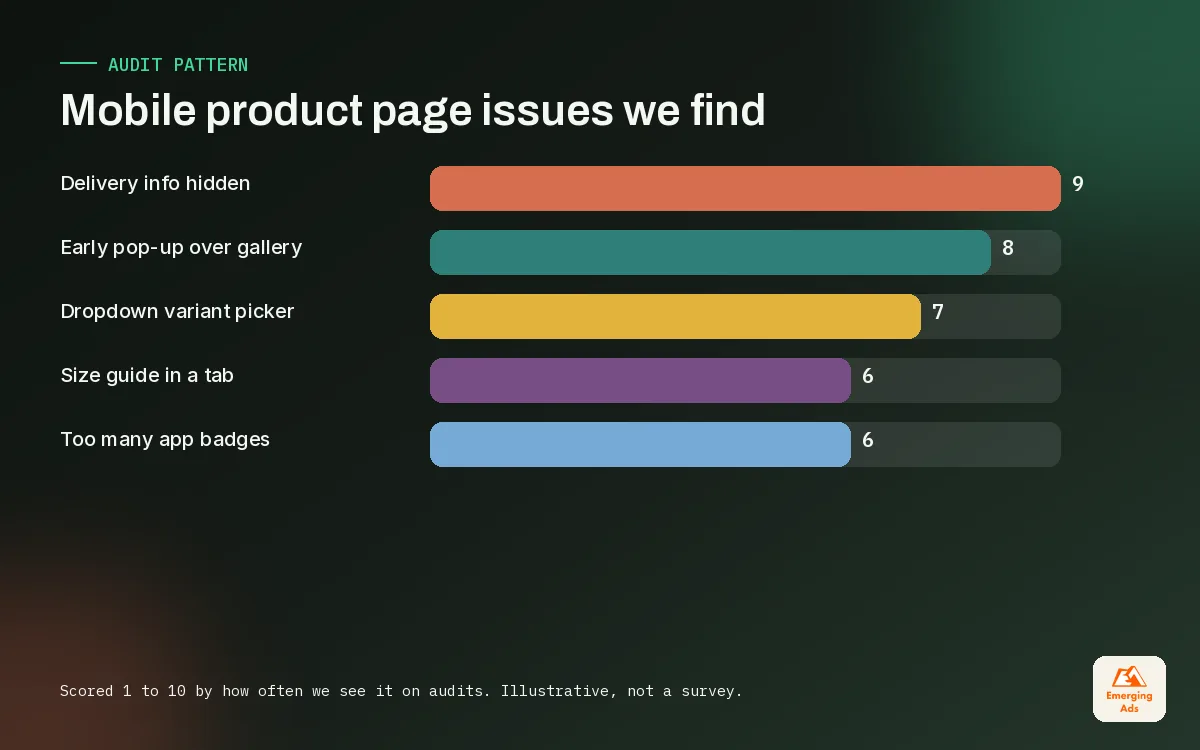
Most product page traffic on the stores we look after comes from phones, especially from social ads. So we design the mobile page first and treat desktop as the adaptation. The checks we run on every mobile Shopify product page:
- Title, price, rating and the first image visible without scrolling
- Variant buttons large enough to tap without zooming
- Delivery promise visible within one scroll of the add-to-cart button
- No pop-up in the first few seconds covering the gallery
- Text at a size people can read without pinching
- Accordions closed by default except the most important one
Landing page thinking helps here. For paid campaigns that send traffic to a single hero product, we sometimes build a dedicated long-form product landing page alongside the standard template. Our landing page design service does exactly this when an ad angle needs more story than a standard product template can carry.
08Shopify product page optimisation: what to test first
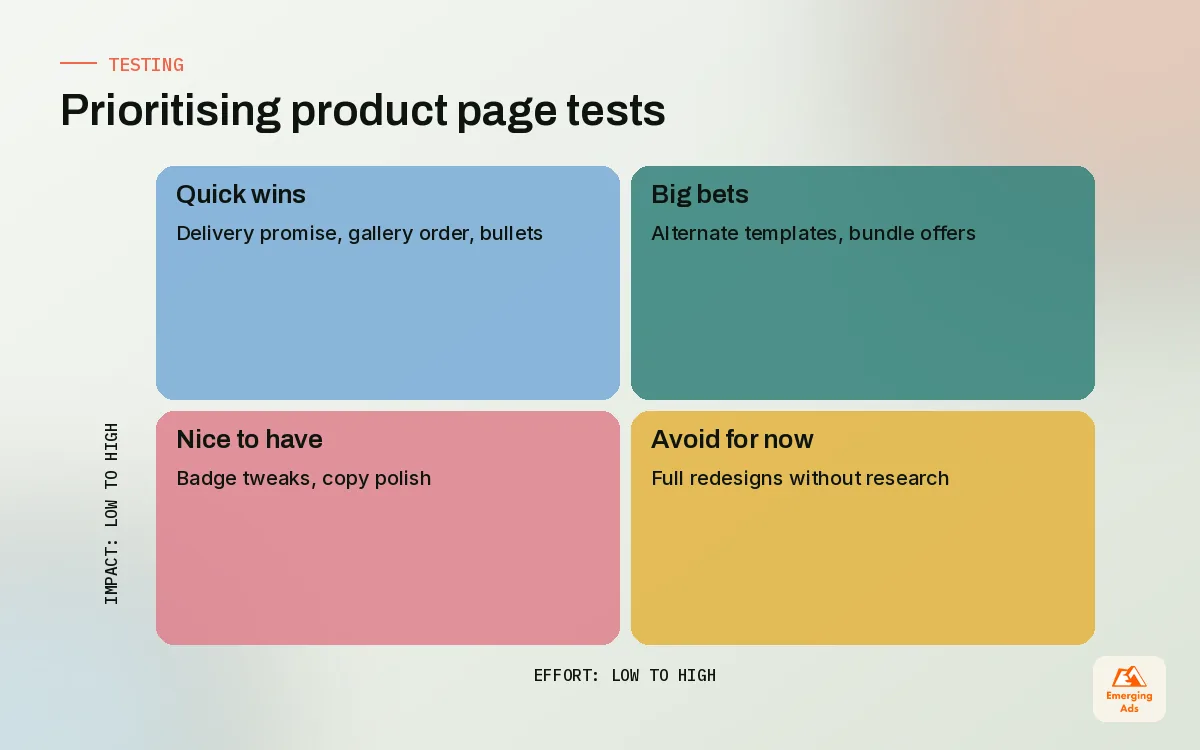
Once the anatomy is sound, testing finds the next gains. We start with research rather than guesses: session recordings and heatmaps show where people stall, and a one-question exit survey tells you why. Tools like Hotjar heatmaps make it obvious when shoppers keep tapping a non-clickable image or never scroll past the gallery. Our wider heatmap analysis work usually turns up three or four product page fixes in the first week.
| Test idea | What it checks | Typical effort |
|---|---|---|
| Delivery promise in buy box | Whether delivery doubt is causing exits | Low |
| Reorder gallery: detail shot second | Whether quality doubt is the blocker | Low |
| Benefit bullets above the fold | Whether shoppers understand the product fast enough | Low |
| Bundle offer below add-to-cart | Impact on average order value | Medium |
| Alternate template for considered products | Whether bigger items need more detail | Medium |
| Customer photo gallery near reviews | Effect of real-use proof on hesitant buyers | Medium |
Measure each test by add-to-cart rate for the template and by revenue per visitor, not just conversion rate. A change that lifts conversions but pushes buyers to cheaper variants can lose money. Low-traffic stores rarely reach statistical confidence on small tests, so test bigger ideas, run them for whole weeks, and accept directional reads. Ads matter too: when a Meta ads for ecommerce campaign promises one thing and the product page leads with another, no amount of button testing fixes it.
Most product page tests that win are not clever. They simply answer a question the shopper was already asking.
09Bringing it together on your store
If you take one thing from this guide, make it the order of work. Fix clarity, then confidence, then proof, then desire, then expansion. Most stores we audit try to start at the top of that list with a new video or a bundle app while shoppers still cannot find the returns window.
A practical first fortnight looks like this: pick your top five products by revenue, review each on a phone with fresh eyes, write down every question you would have as a buyer, and check how many are answered above or beside the add-to-cart button. Fix the gaps, then start testing. That process alone often moves add-to-cart rate more than a full redesign.
When you want help, our Shopify conversion optimisation team does this review as a standard part of onboarding, and the same thinking sits behind our broader website CRO services for non-Shopify sites. You can see everything else we do on the EmergingAds services page, or browse more Shopify guides on the teamemergingads.com homepage.
Frequently asked questions
Straight answers to what clients ask us most about shopify product page.
What makes a good Shopify product page?
How many product images should a Shopify product page have?
Where should reviews go on a Shopify product page?
Should I use a sticky add-to-cart button on mobile?
How long should a Shopify product description be?
Do I need a separate template for different products?
Which apps should I use on my product page?
How do I show delivery times on a Shopify product page?
What should I test first on my product pages?
How do I measure product page performance on Shopify?
Does product page speed affect conversions?
Want a second pair of eyes on your product pages?
We will review your best-selling Shopify product page on mobile and desktop and send you a ranked list of fixes, starting with the ones that cost least to ship.
Book your free audit