Shopify Store Management in 2026: What Running a Live Store Really Involves
Launching a Shopify store takes weeks. Shopify store management takes every week after that. Here is the routine we run on live accounts, what it covers, who should own it and how to spot a store that has quietly been left to drift.

Key takeaways
- Shopify store management is the steady weekly work of keeping catalogue, theme, apps, promotions and reporting in good order, not a one-off project.
- A simple rhythm of daily checks, a weekly routine and a monthly review catches most problems before customers ever notice them.
- In-house, freelancer and agency models all work. The right one depends on how often your store changes and who can own decisions.
- Every store needs a written handover: access, app list, theme history, promotion calendar and the numbers that define a good week.
- Neglected stores show the same signs: slow pages, dead apps, broken collections, stale promotions and reports nobody reads.
01What Shopify store management actually covers
When a founder asks us about Shopify store management, the question behind it is usually simple: who keeps this thing running properly once the launch party is over? A Shopify store is not a brochure site. Prices change, stock runs out, new products arrive, apps update themselves, campaigns start and end, and every one of those moments can break something small that costs sales quietly for weeks.
Our working definition is this: Shopify store management is the recurring work that keeps a live store accurate, fast, on brand and ready to sell, plus the reporting that tells you whether it is working. It sits between the one-off build and the marketing that drives traffic. Get it right and your ads land on a store that converts. Get it wrong and you pay for clicks that hit an out-of-stock product with a broken size guide.
On the stores we look after, from skincare and supplements to furniture and jewellery, the work falls into six buckets:
- Catalogue. New products, variants, prices, stock, images, descriptions, collections and tags.
- Theme and content. Homepage changes, banners, landing sections, navigation, page copy and small layout fixes.
- Apps and integrations. Updates, conflicts, billing, and the removal of anything no longer earning its place.
- Promotions. Discount codes, automatic discounts, sale collections, countdowns and the clean-up after a sale ends.
- Quality assurance. Test orders, checkout checks, mobile checks and broken link sweeps.
- Reporting. A weekly read of the numbers that matter and a monthly look at what to change next.
Store management vs store setup vs marketing
These three get blurred constantly. Setup is the build: plan, theme, settings, policies and launch, which we cover on our Shopify store setup page. Marketing is what brings people in. Management is everything that keeps the store healthy in between. A store can have brilliant ads and excellent design and still lose money because nobody noticed the free shipping threshold was wrong for three weeks.
02The weekly Shopify store management routine we run
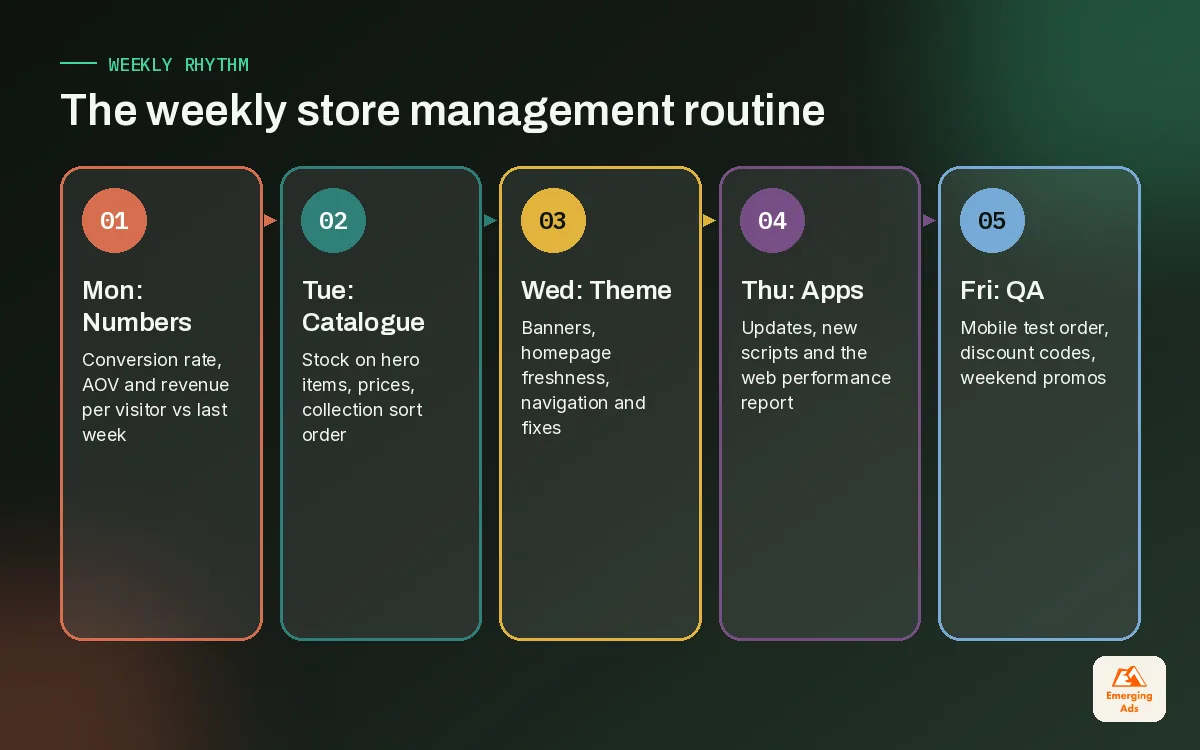
The single best habit in Shopify store management is a fixed weekly routine. Not a heroic monthly clean-up, a short list done on the same day every week. Ours takes a few hours on a typical mid-sized store and looks roughly like this.
| Day | Focus | What we check or do |
|---|---|---|
| Monday | Numbers | Last week’s sessions, conversion rate, AOV, revenue per visitor and top products, compared with the week before |
| Tuesday | Catalogue | New products live, stock levels on hero items, prices match the promotion plan, collections sorted |
| Wednesday | Theme and content | Banner rotation, homepage freshness, navigation, any requested design changes shipped and tested |
| Thursday | Apps and speed | App updates, new scripts, the web performance report in the admin, any errors reported by customers |
| Friday | QA and prep | Test order on mobile, discount codes checked, weekend promotions scheduled and previewed |
The days do not matter. The repetition does. When the same person looks at the same things every week, they notice the moment something changes. A drop in add-to-cart rate on Tuesday becomes a question on Tuesday, not a mystery at month end.
The daily five-minute check
On top of the weekly rhythm, someone should glance at the store every working day. We keep it to five minutes:
- Open the homepage on a phone and tap through to a product and the cart.
- Check yesterday’s orders for anything unusual, such as a spike in cancelled or unfulfilled orders.
- Scan the inbox or helpdesk for customers reporting a problem with the site.
- Confirm today’s scheduled promotion or banner actually went live.
That is it. Most of the costly problems we have caught on client stores were visible in that five-minute window: a payment method disappearing after an app update, a hero image failing to load, a discount stacking in a way nobody intended.
03The monthly review: where management turns into improvement
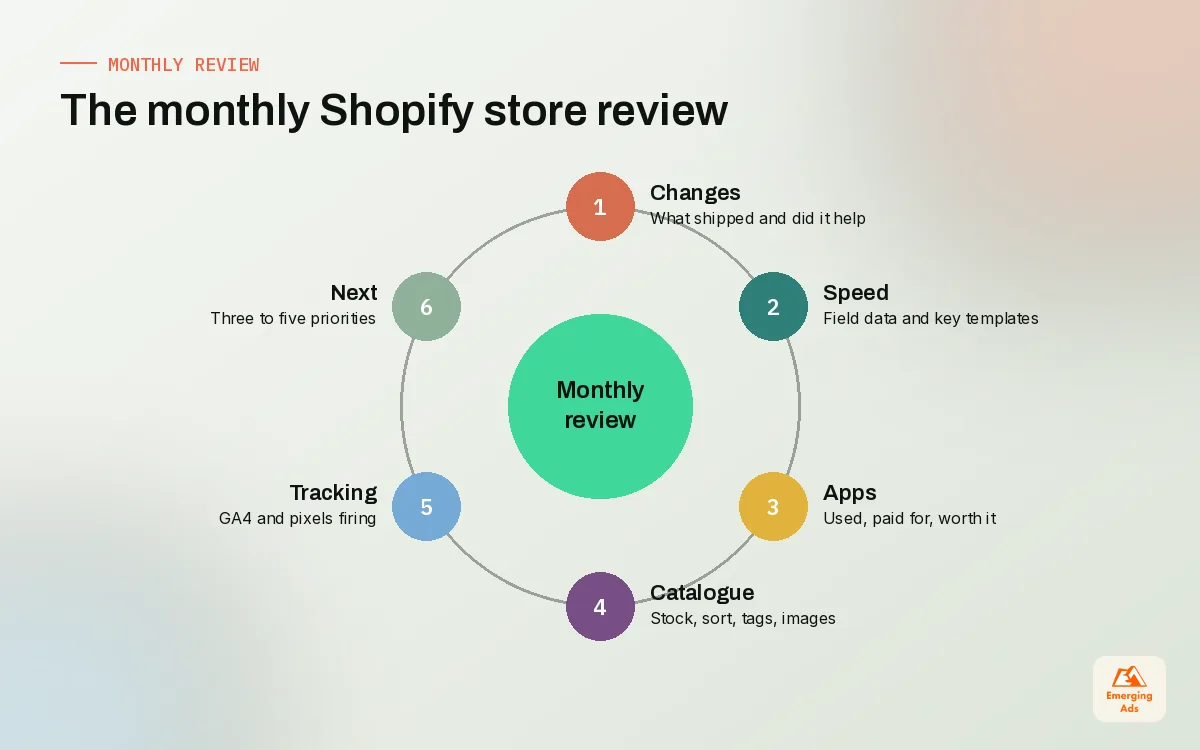
The weekly routine keeps the store stable. The monthly review is where Shopify store management starts to move the numbers. Once a month we step back and ask four questions.
1. What changed, and did it help?
List every meaningful change from the month: new theme sections, new apps, price changes, new collections. Then look at the numbers either side. You will not always get a clean answer, but you build a record that stops the team repeating changes that did nothing.
2. What is slowing the store down?
Look at the web performance report in the Shopify admin, which is based on real visitor data, and at PageSpeed Insights for your key templates. If anything has crept in the wrong direction, the cause is usually a new app or a heavy image. Deeper fixes are the job of our Shopify speed optimisation work, but the monthly check is what spots the drift early.
3. Which apps are still earning their keep?
Every app that injects scripts can slow a store, and uninstalling one does not always remove the code it left in the theme. Once a month, go through the app list and ask whether each one is used, paid for and worth the weight it adds.
4. What do we change next month?
End with a short list of three to five improvements, ranked by likely impact. That list feeds the weekly routine and, where the change is about persuasion rather than housekeeping, it feeds a proper Shopify conversion optimisation programme.
04Catalogue, theme and apps: the three areas that drift fastest
If we had to pick where neglect does the most damage, it would be these three. They change constantly, and small errors compound.
Catalogue hygiene
Catalogues decay. Products get archived but stay in collections, variants are added without images, tags multiply until nobody remembers what sale-2 was for. On one home and furniture store we took over, a quarter of the products in the main collection were out of stock and sorted to the top. Nobody had looked in months. A tidy catalogue also matters outside the store, because the same data feeds your Google Shopping ads and your organic listings.
Theme discipline
Online Store 2.0 made it easy for anyone on the team to add sections and app blocks to any template. That is a gift and a risk. We keep a simple theme log: what was changed, by whom, when, and why. We always work on a duplicate theme, preview it on mobile, then publish. And we keep the last known good theme unpublished as a fallback.
App control
Most stores we audit have more apps than they need. Some were installed for a single campaign, some duplicate a feature Shopify now offers natively, and a few are still billing months after anyone used them. One rule helps: nobody installs an app without writing down what it is for and when it will be reviewed.
| Area | Typical drift we find | Monthly fix |
|---|---|---|
| Catalogue | Out-of-stock items at the top of collections, missing variant images, duplicate tags | Sort rules reviewed, stock sweep, tag clean-up |
| Theme | Unused sections, conflicting app blocks, inconsistent banners | Theme log reviewed, duplicate theme tested, unused sections removed |
| Apps | Overlapping apps, leftover code from removed apps, forgotten subscriptions | App list audited, leftover snippets removed, billing checked |
| Promotions | Expired codes still live, sale badges on full-price items | Promotion calendar reconciled with live discounts |
The table above reflects patterns we see across audits rather than a formal study, but almost every store we take on shows at least two of these four.
05Who should handle Shopify store management: in-house, freelancer or agency
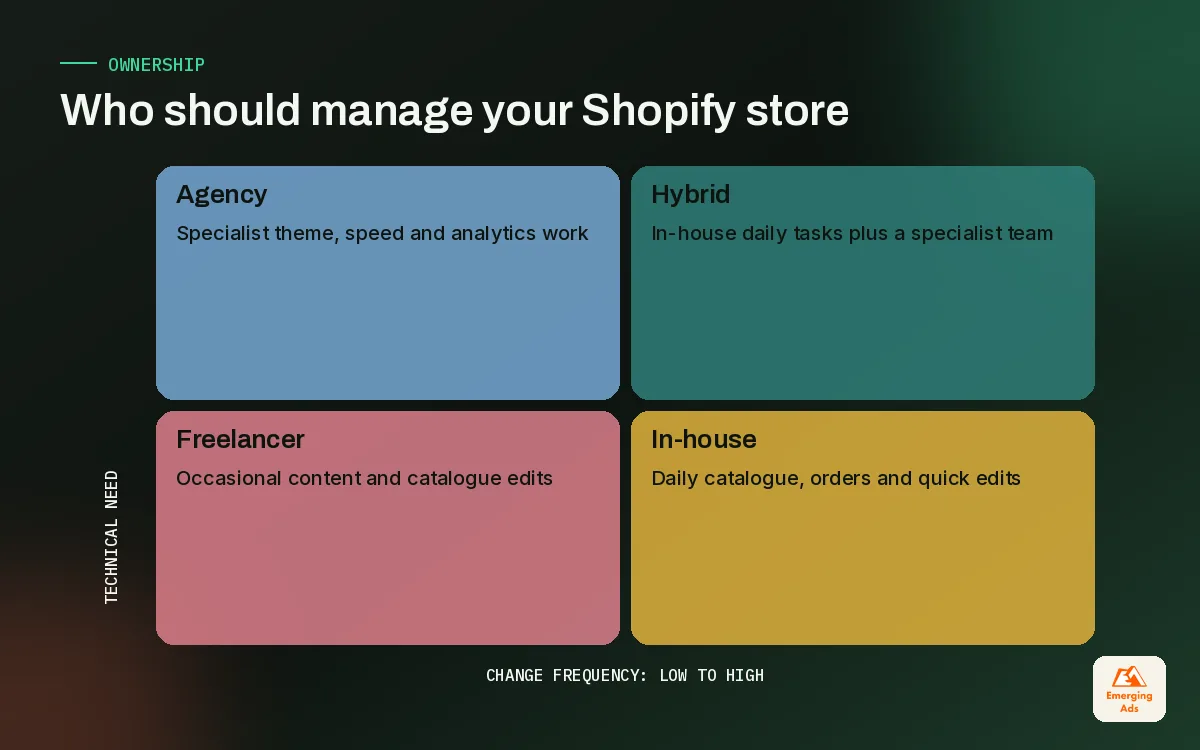
There is no single right answer here, and anyone who tells you otherwise is selling something. The honest way to decide is to look at how often your store changes and who in the business can make decisions quickly.
| Model | Works best when | Watch out for |
|---|---|---|
| In-house store manager | The store changes daily and you have enough volume to justify a full-time role | One person becomes a single point of failure; skills gaps in code and analytics |
| Freelancer | Changes are occasional and mostly content or catalogue | Availability during peaks, no cover for holidays, uneven reporting |
| Agency | You want one team covering store, speed, CRO and reporting alongside marketing | Slow response if the agency is too big; make sure a named person owns your store |
| Hybrid | An in-house person runs daily tasks, an agency handles technical work and the monthly review | Unclear ownership unless roles are written down |
The hybrid model is the one we see working most often for growing brands. An internal person handles stock, orders and quick content edits, while a specialist team picks up theme work, apps, speed and analysis. That is the shape of our own Shopify website management service: we slot in beside your team rather than replacing it.
Questions to ask any store manager before you hire
- How do you test theme changes before they go live?
- What do you report weekly, and what would make you call us mid-week?
- How do you decide whether an app stays or goes?
- Who covers the store when you are away, especially during a big sale?
- Can you show us a theme change log from another store, with the client details removed?
A good store manager is boring in the best way: the store simply never surprises you.
06What to hand over so your Shopify store can be managed properly
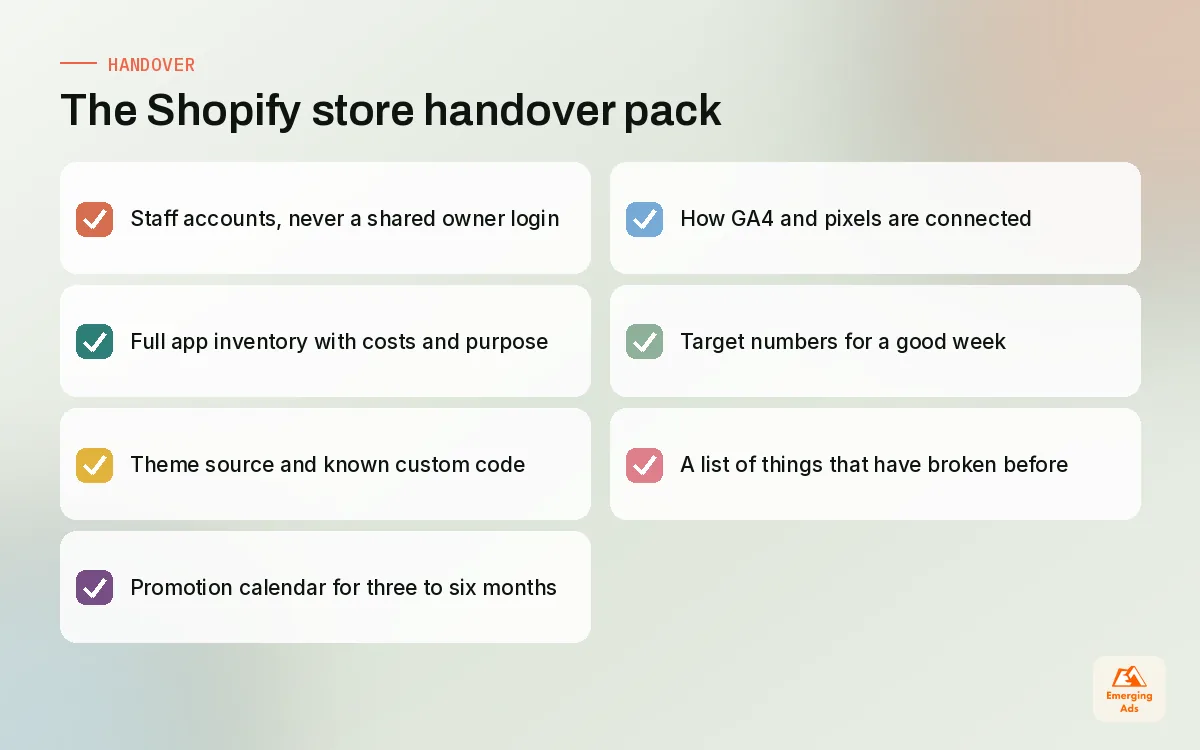
Whenever we pick up a store, the first week goes on understanding what already exists. The better the handover, the faster we can do useful work. If you are bringing in anyone new, in-house or external, prepare this pack.
- Access. Staff accounts with the right permissions, never a shared owner login. Include access to apps that sit outside Shopify, such as your email platform and reviews tool.
- App inventory. Every installed app, what it does, who installed it, what it costs and whether it is still needed.
- Theme history. Which theme you use, whether it is from the Shopify Theme Store or custom, and a list of custom code changes you know about.
- Promotion calendar. Planned sales, launches and seasonal moments for the next three to six months.
- Tracking setup. How GA4 is connected, which pixels are installed and whether they use Shopify customer events. If this is messy, a clean GA4 setup should come before anything else.
- Definition of a good week. The numbers you care about, with rough targets: conversion rate, AOV, revenue per visitor, repeat purchase rate.
- Known problems. The bugs everyone has learned to live with. There are always a few.
07Red flags of a neglected Shopify store
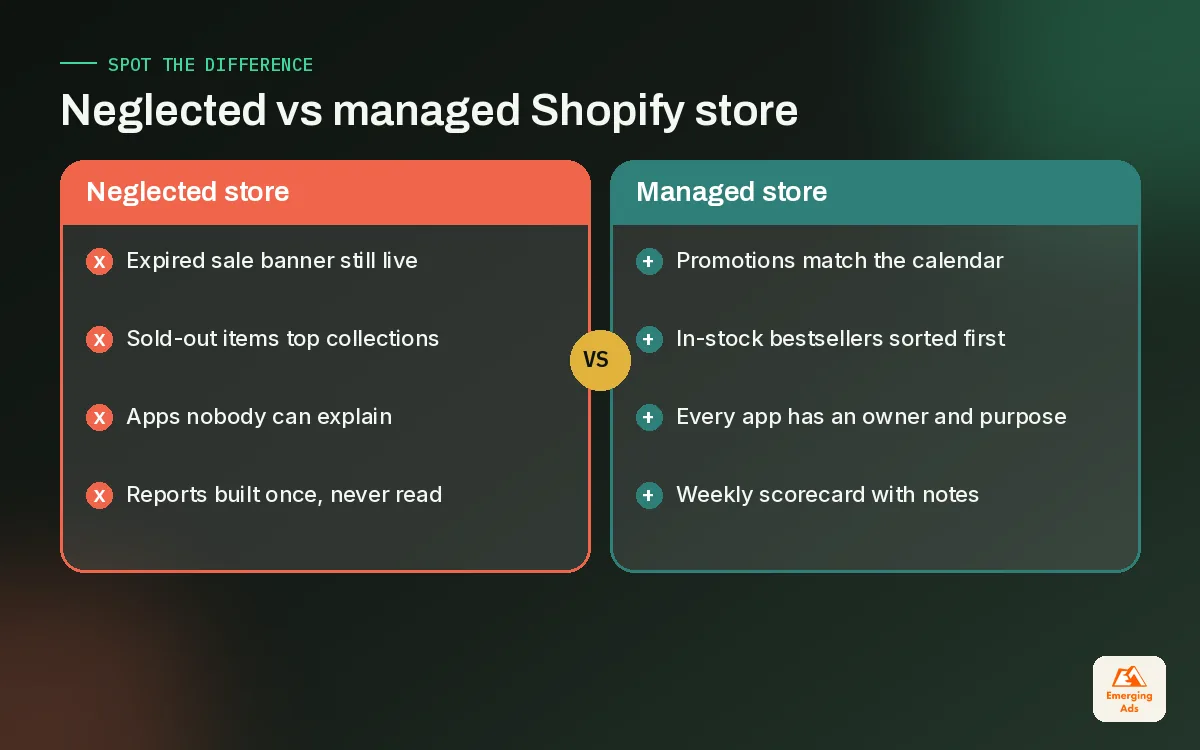
Neglect rarely looks dramatic. It looks like a store that is slightly worse every month. These are the signs we notice within minutes of opening a store that has been left to drift.
- The homepage still mentions a sale that ended. Or worse, a season that ended.
- Collections show out-of-stock products first. Visitors scroll past three sold-out items and leave.
- The app list is longer than the team can explain. If nobody knows why an app is there, it is probably costing speed and money.
- Pages feel slower than they did at launch. Usually a pile-up of scripts, oversized images and unused theme code.
- Reports exist but nobody reads them. The dashboard was built, shared once and forgotten.
- Search traffic has flattened. Thin collection copy, duplicate product pages and broken internal links slowly erode organic visibility, which is where ecommerce SEO support usually starts.
- Customer service answers the same site question every week. If people keep asking about sizing or delivery times, the store is not answering it.
Any one of these is fixable in a day or two. Three or more together tell you the store has no owner, and that is the real problem to solve.
08Reporting: how to know your store management is working
Good Shopify store management should show up in the numbers, even if the link is not always direct. We keep reporting simple and consistent so trends are easy to see.
The weekly scorecard
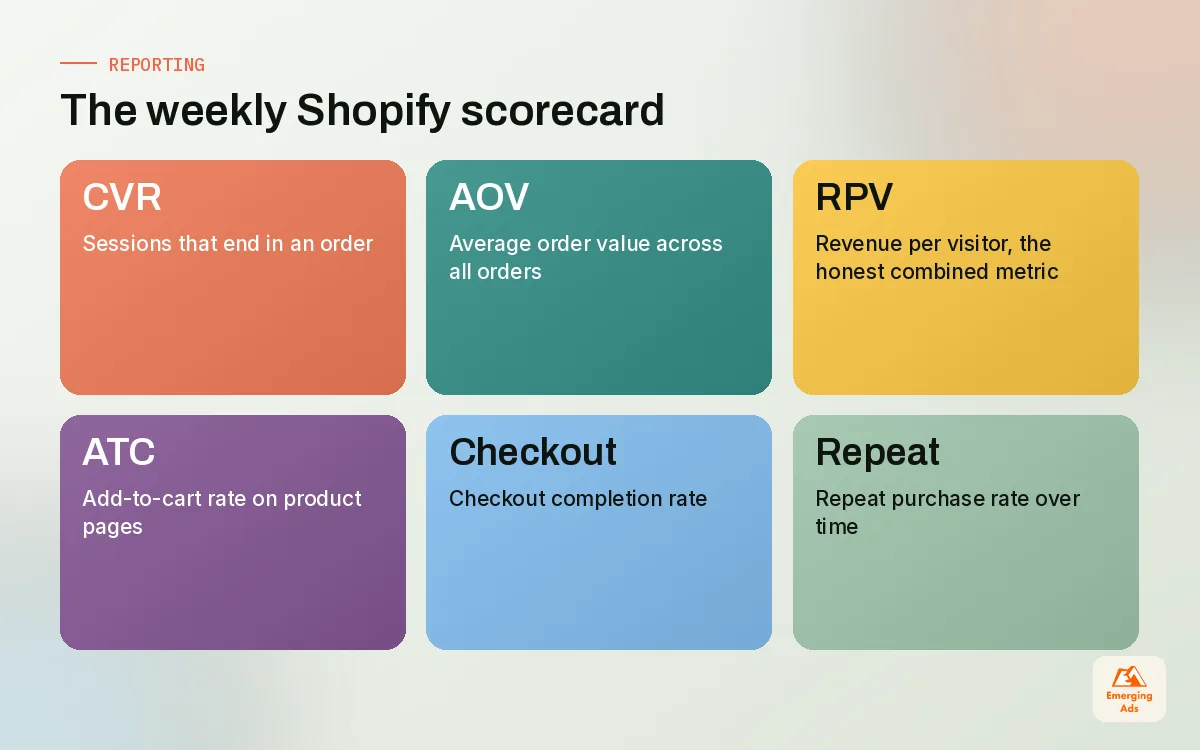
Shopify Analytics and Reports, built into the admin, give you most of what you need. Each week we record sessions, conversion rate, average order value, revenue per visitor, add-to-cart rate, checkout completion rate and repeat purchase rate, plus a short note on anything unusual. For brands that want everything in one place, we pull Shopify, GA4 and ad data into a Looker Studio dashboard so the whole team reads the same version of the truth.
Retention is part of management too
A well-run store keeps its post-purchase flows working. Abandoned checkout, welcome and post-purchase emails can break silently when a theme or app changes. We check them monthly alongside the store, and for stores on Klaviyo we often fold this into our Klaviyo email marketing support so one team watches both sides.
Automate the boring parts
Shopify Flow, Shopify’s automation app, can tag high-value customers, alert you when stock on a bestseller drops, or hide products that sell out. We use it to remove repetitive tasks from the weekly routine so human time goes on decisions, not data entry.
09Getting started with better Shopify store management
If your store feels slightly out of control, do not try to fix everything at once. Start with the five-minute daily check and the weekly routine. Write the handover pack, even if nobody new is joining, because the act of writing it shows you what is missing. Then run your first monthly review and pick three improvements.
If you want a team to take this on with you, our Shopify specialists sit inside a wider agency, so store work connects directly to ads, email and analytics. You can see everything we do on our full list of services, or read more from our Shopify team on the teamemergingads.com homepage. For brands still at the start, our main site explains how long a Shopify store setup really takes, which is the right place to begin before ongoing management kicks in.
Whichever route you choose, remember the point of all this. Shopify store management is not about busywork. It is about making sure that every visitor you pay for lands on a store that is accurate, fast and ready to sell.
Frequently asked questions
Straight answers to what clients ask us most about shopify store management.
What does Shopify store management include?
How many hours a week does a Shopify store need?
Should I hire a Shopify store manager or use an agency?
What is a Shopify store management checklist?
How often should I review my Shopify apps?
How do I safely make theme changes on Shopify?
What reports should a Shopify store manager send?
Can Shopify Flow replace manual store management?
What are the signs my Shopify store is neglected?
What should I give a new Shopify manager on day one?
Does store management affect SEO?
Is your Shopify store being managed or just kept alive?
We will look over your theme, apps, catalogue and reporting and give you a short, honest list of what needs attention first. No long deck, just the fixes.
Book your free audit